
A Stand-up That Should Take 10 Minutes but Takes Half an Hour
Here is a hypothetical. A team of 9 developers and designers holds a stand-up at 9:30 every morning. The first person is slow to open the link, two people lose their internet connection, and the fourth tells a bug story so long that five others sit silently waiting. Afterward everyone feels it was a waste of time, and the next morning some people turn off their cameras and open other work on the side.
Stand-ups usually don't fail because the idea is wrong. They fail because the format is loose and getting into the room is a hassle. This article suggests a format that agency and software house teams can adapt, along with a way to run it in an online office, where everyone walks into the same room without waiting for a link.
For an overview of agency work and teams that look after several projects, read Online Office for Agencies and Software Houses.
What a Stand-up Is For
There are only three goals: to know who is doing what today, to know who is stuck on something, and to agree on who needs to talk to whom afterward. If the meeting starts doing other jobs, such as reporting progress to the boss or solving technical problems in the meeting itself, it has drifted from its goal.
A Format That Works for Most Teams
The Same Three Questions
Everyone answers three questions briefly:
- What did you finish yesterday?
- What will you do today?
- What are you stuck on, and who do you need help from?
Agency teams that serve several clients may add a fourth: "Is any client work waiting and at risk of missing its deadline?" This surfaces risks first thing in the morning.
Time and Number of People
There is no fixed universal number, but a practical rule is to set a time cap in advance, for example 10 to 15 minutes, and then see how long the team actually uses. If it regularly runs over, look at the number of people first. A team of dozens should split into smaller teams by project rather than add time.
Summary of Roles in the Room
| Role | What they do |
|---|---|
| Facilitator (rotates weekly) | Starts on time, calls names in order, cuts in when things go too deep |
| Speaker | Answers the three questions in a few sentences |
| Note-taker | Writes down only "who needs to talk to whom next", not every sentence |
| Listener | Doesn't interrupt; if there is a question, note it and ask after the stand-up |
How to Run It in Zyra
1. Set Up a Regular Stand-up Room
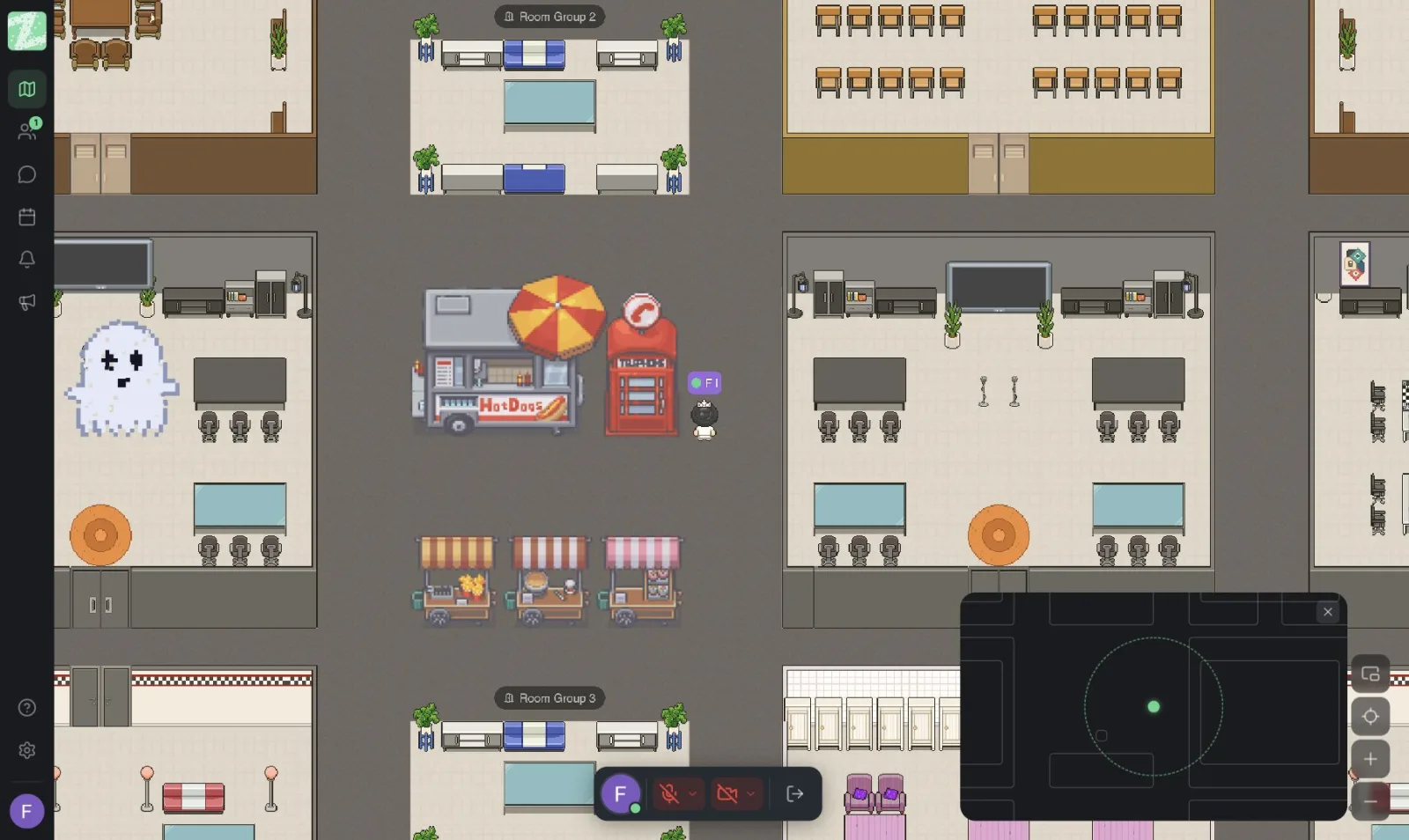
Choose one room on the map as the "stand-up room" and use the same one every day. The team will remember its location like a meeting point in a real office. The Free plan has 3 rooms per workspace, which divides neatly into one stand-up room, one follow-up room for after the stand-up, and one focus room.
2. Walk Into the Room Instead of Clicking a Link
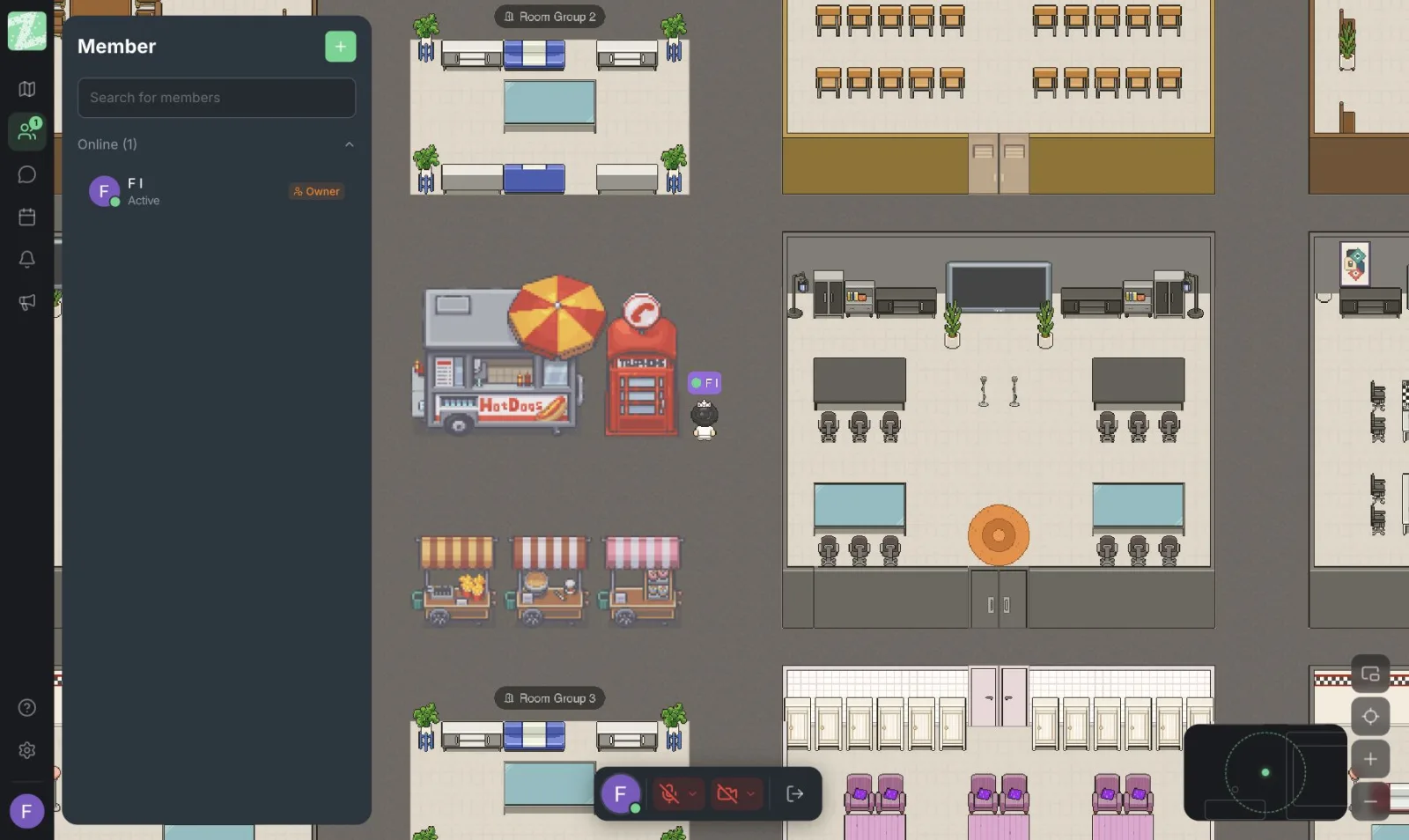
In Zyra everyone opens the browser and walks their avatar toward each other. Audio connects with the people nearby, so there is no need to create a new meeting link every day. Anyone who is late can walk into the room and join right away without interrupting whoever is speaking. For people who haven't entered the room yet, open the member list to see their online status.
3. Use a Separate Room for the Follow-up
The most common mistake is solving problems in the middle of the stand-up. What works is to note "A and B need to talk about the schema" and have those two walk to the follow-up room right after the stand-up ends, while everyone else goes back to work. A separate room means no new meeting to schedule and no one else has to sit through the rest.
4. Record What Needs Recording in a Task Management Tool
According to the pricing page, channels and threads are in the Pro plan, which has not launched yet. So for agreements from the stand-up, such as "delivery moved to Thursday", the note-taker should update Trello, Jira, Notion or whichever tool the team already uses. Don't rely on chat as the place to keep decisions.
Mistakes to Avoid
- Using it as a report to the boss. Everyone turns to speak to the boss instead of the team. Set a rule that you speak to your teammates.
- Solving problems in the middle of the meeting. Cut it off and move it to the follow-up room.
- Scheduling it when people aren't ready. Pick a time when most people have already signed in, not a time that only suits the boss.
- Telling yesterday's story at length. Focus on what changed status, such as done, stuck or handed off, rather than walking through every activity.
- Forcing cameras on. Let the team agree among themselves; some teams find audio alone is enough. For ideas on reducing video fatigue, see video call fatigue.
- Meeting every day when the work isn't moving. If statuses barely change during the week, try cutting to two or three times a week and ask the team.
If the Team Is in Different Time Zones or Places
A synchronous stand-up doesn't suit every team. If members are spread across several time zones, you could switch to writing the three answers in a task management tool instead. For ways to work without being online at the same time, see Async work, and keep online office time for matters that need a live conversation.
A Two-Week Trial
- Choose a small team of 3 to 6 people working on the same project.
- Set the room, the time, and a time cap, for example 10 minutes.
- Rotate the facilitator every week.
- After two weeks, ask the team three questions: is it still needed, is the time right, and which items should move to writing instead?
- Adjust based on the answers. Don't add rules if the team is coping fine.
Sources and further reading
Frequently Asked Questions
How long should a stand-up be?
There is no fixed number. A workable approach is to set a cap in advance, for example 10 to 15 minutes, and see how long the team actually uses. If it regularly runs over, reduce the number of people or move topics that need a deeper conversation elsewhere.
Can we run a stand-up on the Free plan?
Yes, if the team has no more than 25 people. The Free plan includes proximity chat, private messages and 3 rooms. Screen sharing and video calls are in the Pro plan, which the pricing page lists as coming soon. Check the latest status on the pricing page.
What if the team isn't in the same time zone?
Try having people write the three answers in a task management tool first, then schedule a live session only when there is a blocker, or pick a window where the team's hours overlap.
Should we take meeting notes?
Write down only agreements and items that need follow-up, such as who needs to do what by when. You don't need to record every word. Keep them in a task management tool, because chat is not the main place for a team to keep its decisions.
Does it work for teams juggling several client projects?
Yes. Hold stand-ups by project or work group rather than for the whole company, so that each person hears only what concerns them.
Start With a Two-Week Stand-up
Try moving a small team's stand-up into one room on the map and see how the timing and the team's feeling change. You can open a workspace free for teams of up to 25 members, in the browser with nothing to install.
Start using Zyra free for teams of up to 25 members
Try Zyra with your team
Free for up to 25 members. It runs in your browser, so there is nothing to install, and there are Android and iOS apps too.