
A Team That Wants Control vs a Team That Wants to Switch It On
Here is a hypothetical. A 25-person software house wants an online office. The head of development likes WorkAdventure because they can read the code and host it on the company's own servers. HR wants everyone using it by this afternoon, with nobody having to look after a server. Both sides have a point, and the answer depends on whether the team has someone to run the system more than on feature lists.
This article compares Zyra and WorkAdventure plainly, including the cases where WorkAdventure is probably the better fit. For an overview of other platforms, read The 10 Best Virtual Office Platforms.
The WorkAdventure information in this article was checked against the official website (workadventu.re) and the project's GitHub on 29 October 2026. Prices and terms can change, so check the latest version with the provider before you decide.
What the Two Platforms Have in Common
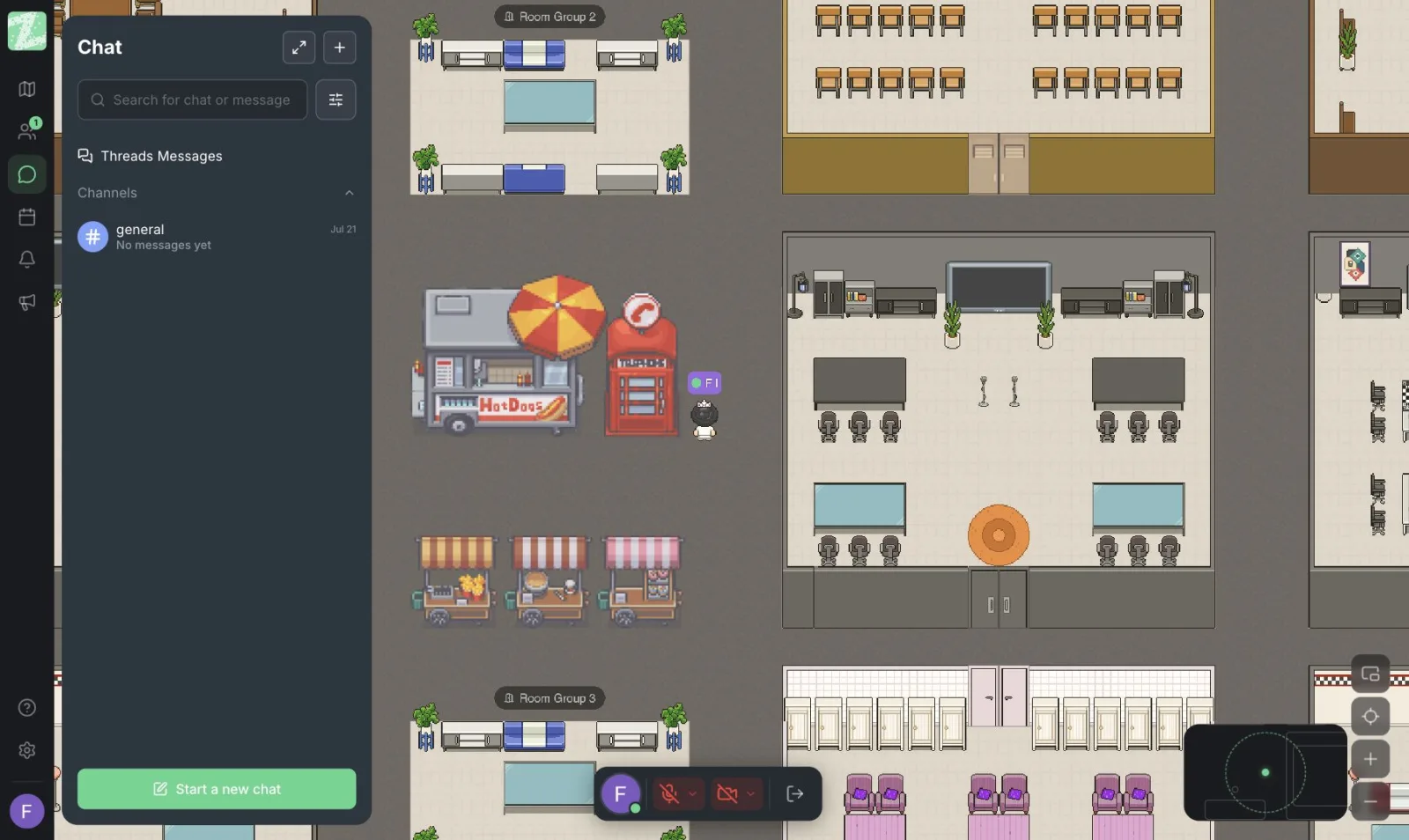
Both are spatial virtual offices. Users walk an avatar around a map, and when they get close to each other they can talk. On GitHub, WorkAdventure describes itself as a virtual office web app that looks like a 16-bit RPG game, where video chat starts when you move close to someone. Zyra uses the same principle: conversation based on proximity. If you want to understand the idea first, read What Is an Online Office.
WorkAdventure's License: Read It Before Commercial Use
A common question is whether WorkAdventure is open source. According to the FAQ on the official website (checked 29 October 2026), the self-hosted version is released under AGPL v3 modified with the Commons Clause. The project states that the code is available to read on GitHub, but that this is not an open-source license as defined by the OSI.
What that page says you can and cannot do:
| You can | You cannot |
|---|---|
| Use and modify the software | Sell it as an online service (SaaS) |
| Install it for use inside your own company | Sell subscriptions to a WorkAdventure server that you host (only the WorkAdventure team can sell it) |
| Be hired to install it for other companies |
In addition, if you distribute or host a modified version online, you must publish the modified source code. Anyone planning to use it for business should read the actual license text and ask the developers directly. This article is not legal advice.
Note: the README on GitHub uses the phrase "open source", which differs from the FAQ, which says the license does not meet the OSI definition. In this article we call WorkAdventure source-available, and we suggest treating the license text as the authority.
Self-Hosting or a Ready-Made Service
WorkAdventure: the README on GitHub describes two ways to set up a production server, Docker Compose or a Helm chart on Kubernetes, and a hosted SaaS version is also available. The pricing page (checked 29 October 2026) shows a Free plan limited to 10 simultaneous users, Event starting at 4 euros per day per user, and Business starting at 8 euros per month per user. For self-hosting on your own server, the pricing page lists no price; you need to contact sales.
Zyra is a browser-based service. There is nothing to install, and the features page lists no self-hosting option. The Free plan works for teams of up to 25 members. Pro and Enterprise are listed on the pricing page as coming soon. Check the pricing page.
Quick Comparison
| Topic | Zyra | WorkAdventure |
|---|---|---|
| How you use it | Browser-based service | SaaS or self-hosted (Docker Compose / Kubernetes) |
| License | Commercial service | AGPL v3 + Commons Clause (source-available) |
| Free plan | Teams of up to 25 members, 1 workspace, 3 rooms | Up to 10 simultaneous users |
| System upkeep | Handled by the provider | SaaS: handled by the provider / Self-hosted: your team |
| Deep customization | Through product features | More customizable if you have access to the code |
WorkAdventure's pricing page also states that the free plan includes screen sharing, private messages and a map editor. Zyra users need to check which plan these fall under (Zyra's screen sharing and video calls are in Pro, which is coming soon). If you need these features today, weigh this point seriously.
When to Choose WorkAdventure
- Your team has someone to run servers and wants to keep data on its own infrastructure.
- You need deeper customization of maps or the system than a ready-made product offers.
- You need features that WorkAdventure lists and Zyra does not yet list, such as recording and live streaming, calendar integration, or SSO in the plans shown on its pricing page.
When to Choose Zyra
- You want to start within minutes without setting up a server. See Set Up Your First Virtual Office in 10 Minutes.
- You have no one to run the system and don't want to handle upgrades or troubleshooting yourself.
- Your team has up to 25 people and wants to start free with proximity-based conversation and private messages.
Zyra's limitations to be aware of: channels/threads, screen sharing, Space Builder and user permissions are in Pro, which has not launched yet.
Sources and further reading
Frequently Asked Questions
Is WorkAdventure free to use?
There is a Free plan limited to 10 simultaneous users, according to the pricing page checked on 29 October 2026, and there is a self-hosting option under the license described above. Read the terms before commercial use.
Can I offer WorkAdventure to customers as a subscription service?
According to the FAQ on the official website, no. The Commons Clause prohibits selling it as an online service. You can, however, be hired to install it for other companies. Confirm your specific case with the developers.
Is self-hosting cheaper?
WorkAdventure's pricing page lists no self-hosted price, and the real cost also includes the time of whoever maintains the server, so estimate both before comparing.
Can Zyra be self-hosted?
Zyra's features page does not list a self-hosting option. If you have specific data requirements, contact our team.
Should we try both?
Yes. Try them with a small team of 3 to 5 people for a week, then see who actually uses it and who feels it became easier to ask questions. That tells you more than a comparison table.
Try Zyra With a Small Team First
If your team wants a browser-based online office without running servers, try a free workspace for teams of up to 25 members.
Start using Zyra free for teams of up to 25 members
Try Zyra with your team
Free for up to 25 members. It runs in your browser, so there is nothing to install, and there are Android and iOS apps too.