
The First Time a Colleague's Voice Pops Up as You Walk Over
Here is a hypothetical. A team has just moved into a virtual office. One teammate walks their avatar past a colleague's desk while that colleague is talking to a client. The client's voice instantly comes through in the teammate's ears. Both sides are startled. The software is not at fault; the team simply has not agreed on shared rules yet.
Proximity chat is the signature feature of a virtual office. When you walk close to someone, audio and video connect on their own, with no link to send. But that ease needs etiquette to go with it, just as in a real office, where you know not to barge in on someone who is in a meeting.
This article summarizes seven rules a team can adapt. If you are just getting started, read Set Up Your Team's First Virtual Office in 10 Minutes first.
Seven Things Worth Agreeing On
1. If someone is in a quiet room or private zone, they are not available
Agree that quiet rooms and private zones are for focus or sensitive conversations. Someone who has gone in should not be disturbed, except for something truly urgent, and even then send a private message first.
2. Check first if the other person is already in a conversation
If a colleague is with someone else or is speaking, stand back and wait, or send a short message such as "Ping me when you're free." It is the same as not staring at two people who are talking in a real office.
3. Open with what you came to talk about
"Quick question about the banner file, 30 seconds" is better than walking up and saying nothing. The other person can decide whether to answer now or ask for a moment, which helps the conversation end quickly and without awkwardness.
4. You don't have to keep your camera on all the time
Some people are not comfortable being on camera all day. Make it clear that people turn it on only when they want to, and that listening only still counts as taking part. This ties in with video call fatigue; see Video call fatigue.
5. Always use headphones
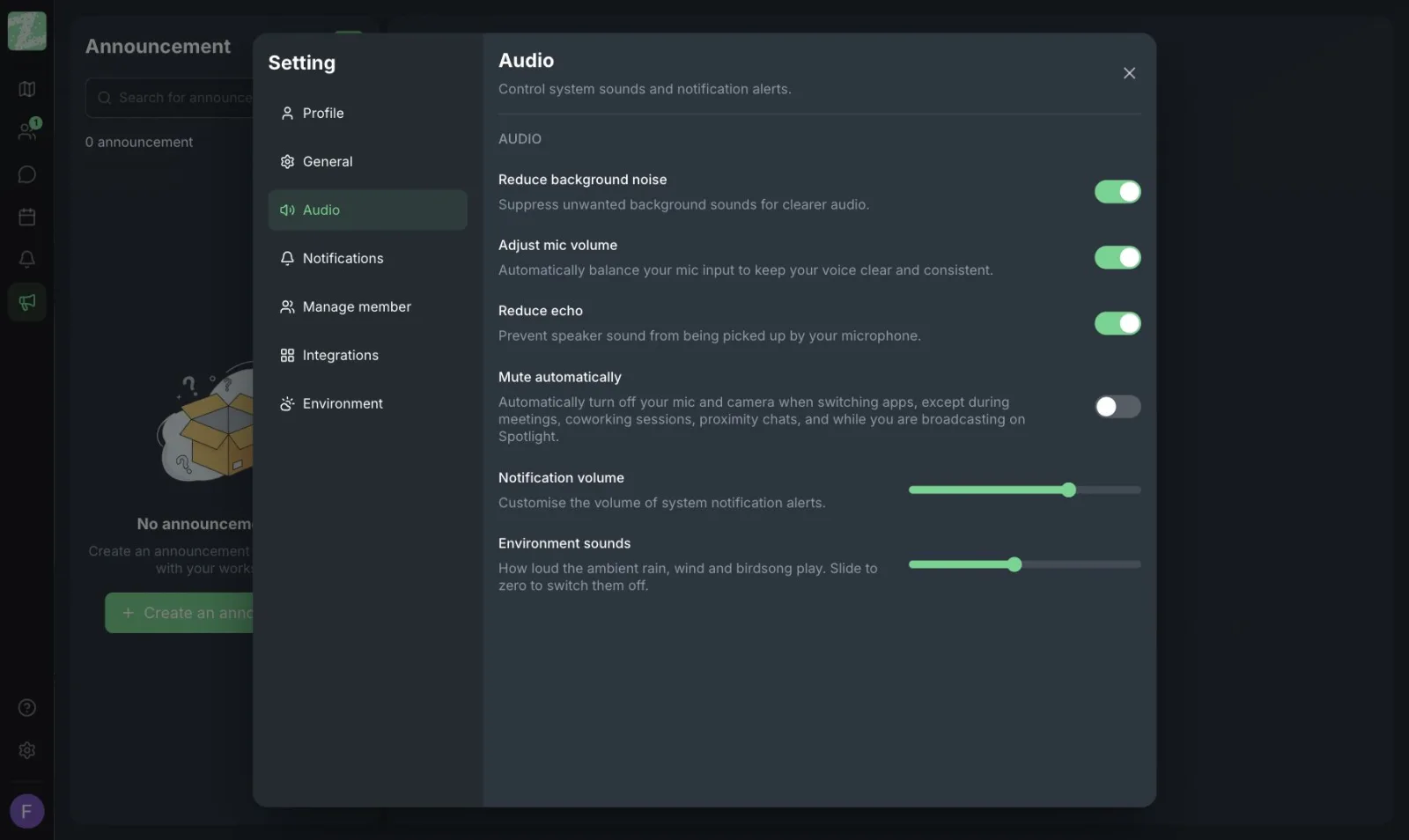
Speakers cause echo and let sound leak to people nearby. The audio settings page has options for background noise reduction, automatic mic level adjustment and echo reduction. Try turning them on before you start work.
6. Leave the circle when you're done
Once you have your answer, walk away from the conversation. Don't linger with nothing to say, because the other person won't know what to say next, and people walking by may assume something important is still going on.
7. Move anything that needs a record to your task management tool
Important decisions made in the virtual office should be briefly noted by someone in the tool your team uses to track work. Proximity chat is a real-time conversation, not a place to keep records.
If Your Team Has People Who Rarely Reach Out
New or quiet people often don't dare walk up to anyone. Team leads and buddies should start the conversation first, for example by dropping by in the morning for a quick hello or inviting them to sit at the same desk while working. For more guidance, see Onboarding New Employees Remotely and Lonely While Working From Home.
Start With Three
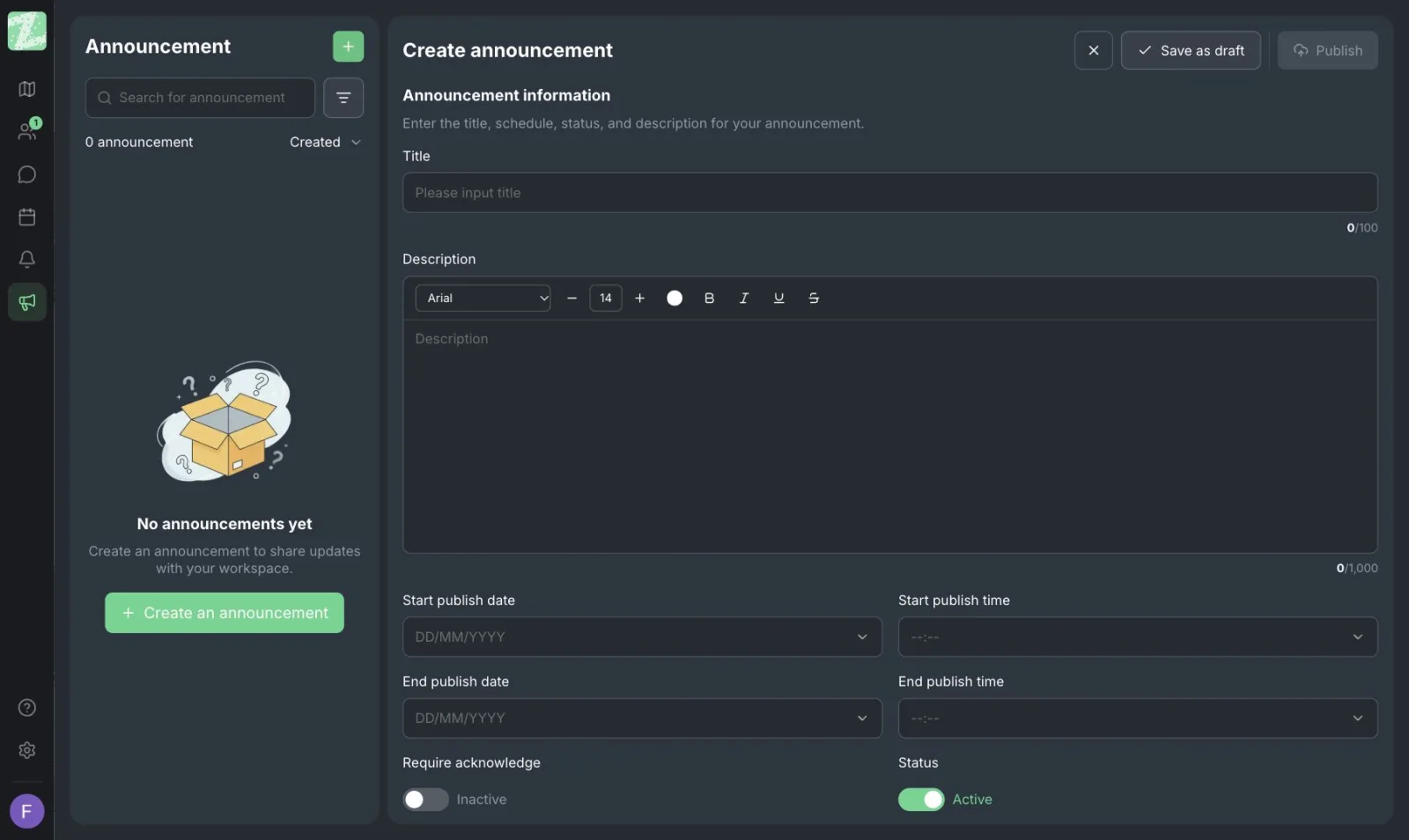
A team that is just starting does not need all seven rules. Pick the three that match your team's problems: rule 1 (quiet rooms), rule 3 (open with your reason) and rule 4 (camera). Write them in the workspace announcement, then review after two weeks of use.
Sources and further reading
Frequently Asked Questions
Can everyone in the office hear me?
No. Audio connects when people are close to each other, and people who are far away will not hear you. Private zones are for conversations you don't want other areas to hear.
What if I don't want anyone to approach me?
Go into a quiet room or private zone, agree with your team on what that means, and mute your mic when you need to.
Can a large team use the same rules?
Yes, but set up clear zones, such as a talk zone, a quiet zone and a meeting zone, so people know that each place carries different expectations.
Do the rules need to be written down?
They don't need to be long. A short announcement with three rules is enough. More important is that team leads follow them first, as an example.
Try Setting Rules With Your Team
Open your team's workspace for free for teams of up to 25 people. It runs in the browser.
Start using Zyra free for teams of up to 25
Try Zyra with your team
Free for up to 25 members. It runs in your browser, so there is nothing to install, and there are Android and iOS apps too.