
Working From Home Alone, and Three Hours Go By on One Line of Work
Here is a hypothetical situation. A freelance designer has a deliverable due on Friday. She opens the file first thing in the morning, but half a day later she is still on the same page. It isn't laziness. Nobody is nearby, there is no atmosphere of everyone else working, and nobody knows that today's work didn't move. When she goes to a café where people are working all around her, the work flows more easily.
Many people call this approach "body doubling": working with another person present. They don't need to help with the work; they just share the same space. This article does not claim the method works for everyone or that research backs it. It is simply something many freelancers try, and you can test it yourself within a few weeks. It explains how to set up an online co-working room using a virtual office.
How an Online Co-Working Room Differs From a Working Video Call
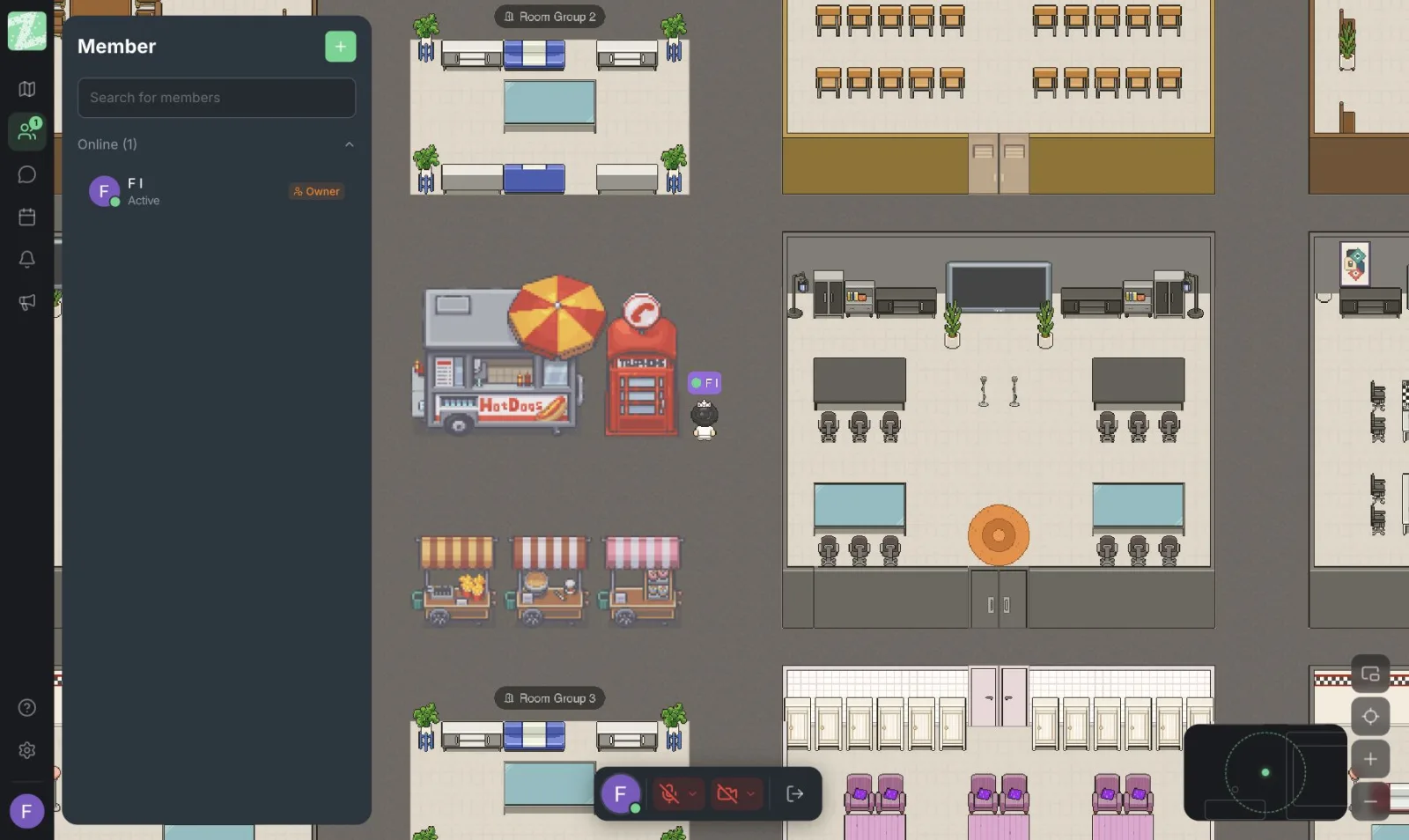
A video call left open all day tends to be tiring and can feel like being watched (see video call fatigue). A virtual office is a map where everyone has an avatar and can see who is where. When you aren't approaching anyone, you can work quietly on your own, and when you want a break to chat, you walk over to someone. It feels closer to sitting at a long table in a real co-working space than to staring at each other on camera.
What you need:
- A map with separate "focus" and "chat" rooms
- A list of who is online, so you can see who is around today
- Distance-based audio, so you can talk to the person next to you without disturbing everyone else in the room
Limits to Know Before You Set Up a Room
Checked against the pricing page on October 29, 2026:
- The Free plan supports up to 25 members per workspace, so it suits a group of freelancer friends who already know each other, not an open community with unlimited people coming and going.
- We did not find a one-time visitor invitation feature on the published pages. People in the room should be invited members.
- The Free plan includes 3 rooms. We suggest using a focus room, a chat room and one private room.
- Screen sharing, channel-style chat (channels) and threads are part of the Pro plan, which is still marked as coming soon. So treat chat on the Free plan as a channel for quick talk and keep important information elsewhere.
How to Set Up a Co-Working Room in 5 Steps
- Find people first. Invite 3-6 freelancer friends who work in different or related fields. They don't need to compete or share projects.
- Create a workspace and pick a template. Choose a map with quiet rooms and a shared area. Give the rooms clear names, such as "Focus" and "Chat."
- Invite people from the member management page by link or email. Keep the total at 25 or fewer.
- Agree on times, in rounds. See the next section.
- Try it for two weeks, then review. Ask who got more done and who felt uncomfortable, then adjust the rules.
Scheduling Formats You Can Try
Timed Focus Rounds
A hypothetical example: 50 minutes of work, a 10-minute break, repeated two to three times. During work time everyone is in the focus room with mics off, or speaks only when necessary. During breaks, people walk into the chat room and can catch up freely. The times are only a starting point; adjust them to your group's rhythm.
Start Each Round by Stating a Goal
Before starting, everyone types or says briefly what they will do this round, for example "rough out the first logo draft." At the end of the round, ask each other whether it got done or not, without judging. Saying it aloud tends to make the goal clearer and makes you less likely to reach for your phone.
A Regular Schedule
Meet at the same time every week, for example Tuesday and Thursday, 9:00-11:00. People don't have to decide each time whether to join. Anyone who is free joins; anyone who isn't skips it, with no need to give a reason.
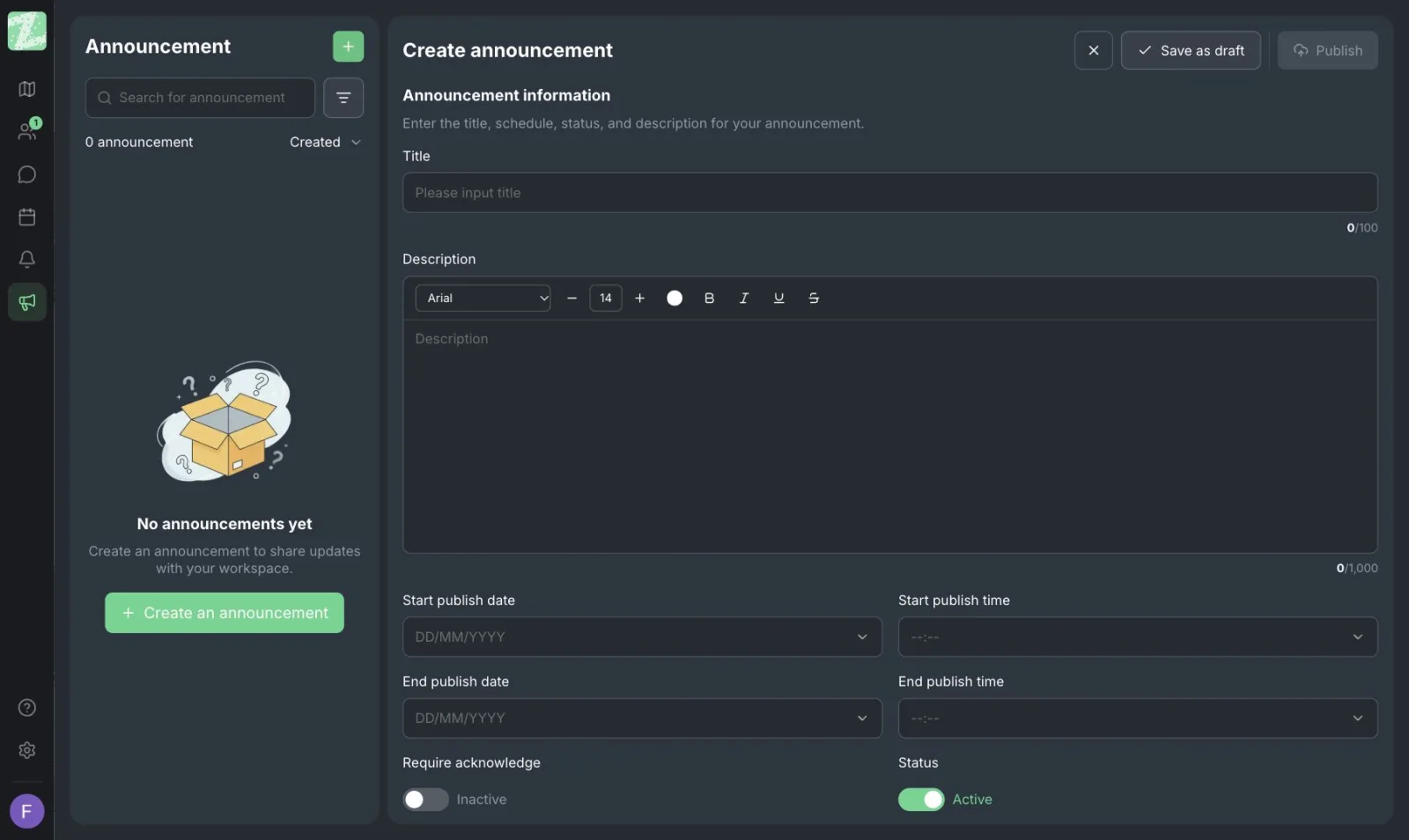
If you want to announce the schedule where everyone can see it, Zyra's announcement menu has fields for a title, details, and the start and end date and time of display, plus an option that asks readers to acknowledge the announcement. You can use it to pin the weekly schedule.
Online Co-Working Room Etiquette
- Once someone is in the focus room, they are in work time. Don't walk over to talk to someone in the focus room unless it is urgent.
- Mics off by default during focus rounds. This reduces noise and unnecessary keyboard sounds.
- Cameras are not required. Most people don't want anyone looking at their face. Seeing your avatar in the room is enough.
- Don't ask for advice on work during a focus round. Save it for the break.
- Keep what is said in the room confidential. Don't repeat work or income details that someone shares, and don't open client files covered by a confidentiality agreement on a screen others can see (read more in etiquette for talking in a virtual office).
- Say something before leaving. A short note that you're heading out is enough, with no need to explain why.
How to Tell Whether the Room Is Working
You don't need complicated numbers. At the end of the second week, ask members three questions:
- In the focus rounds you joined, did your work move forward more than on days you worked alone?
- Was there any time you felt disturbed or had to be overly considerate?
- How would you like to adjust the times or the number of people?
If most answers are negative, the method may not suit your kind of work or your group's habits. That is normal, and there is no need to force it.
Sources and further reading
Frequently Asked Questions
Do I have to keep my camera on all the time?
No. Agree on it within the group. The Free plan includes distance-based audio, while the video calls and screen sharing listed on the pricing page are part of the Pro plan.
Can I bring in people from outside the group?
Yes, if you invite them as members and stay at 25 or fewer. The published pages don't list a one-time guest feature. If you want to admit many people or people you don't know, think about safety and moderating the rules first.
What kind of work is this good for?
It suits solo work that needs concentration, such as writing, design, editing and coding. It is not suited to work that involves phoning clients all the time, because the sound would disturb others.
Can it replace leaving a Zoom or Meet camera on all day?
You can try it, especially if you find a constantly open camera uncomfortable, but results differ from person to person. For a comparison, read virtual office vs. Zoom and Slack.
Does it cost anything?
The Free plan needs no credit card for up to 25 people. The Pro and Enterprise plans are still marked as coming soon. Check the latest pricing on the pricing page.
Try a First Round With a Few Friends
Open a free workspace, invite your freelancer friends, and try a first focus round this week. It runs in the browser, with nothing to install.
Start using Zyra free for teams of up to 25
Try Zyra with your team
Free for up to 25 members. It runs in your browser, so there is nothing to install, and there are Android and iOS apps too.