
Many People Come the First Time, but by the Third Only the Organizer Is Left
Here is a hypothetical situation. A film photography group holds its first online meetup. More than ten people join, each sitting and listening on a video call, and the same three people do all the talking. The second time, seven people come. The third time, only the organizer and a close friend are left. The reason isn't poor content. Nobody feels that this is "ours," and nobody knows whom to talk to.
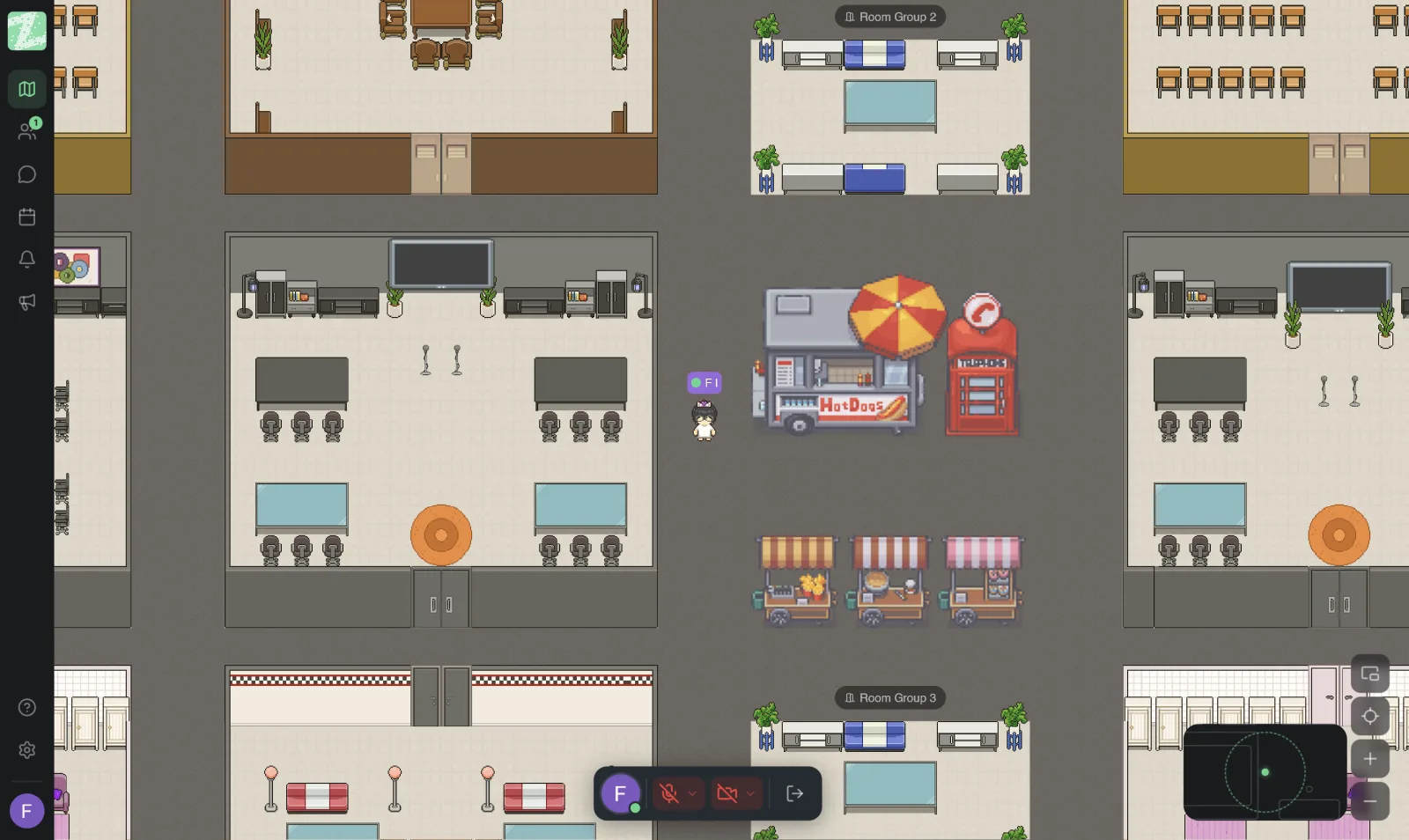
A community meetup is different from a team meeting. Nobody is required to attend, and if it isn't fun or doesn't feel safe, people quietly leave. A virtual space where you walk an avatar around helps with splitting into small conversations and with a sense of owning the space. But it has to come with well-designed rules and roles, and you need to know its size limits first.
Size Limits, Stated Plainly
Checked against the pricing page on October 29, 2026:
- The Free plan supports up to 25 members per workspace, so it suits small circles, such as a core group, a small club or a closed-group get-together. It is not for a community that admits unlimited people.
- The Pro plan, which lists unlimited members, is still marked "coming soon," and the published pages don't state a maximum capacity that has been tested. Don't plan a large event around figures that have no source.
- We did not find a no-signup guest feature on the published pages. Participants should be invited members.
- According to the pricing page, channels and threads are in the Pro plan, which has not launched yet, so don't use chat to keep your community's announcements or rules. Keep them somewhere else as well.
- If your community has hundreds of people and is open to the public, a tool designed for large communities may be a better fit. Use Zyra as a room for a small circle that wants a closer feel.
Design Recurring Rituals
People come back because there is something to look forward to. Rituals don't need to be big; they just need to repeat consistently.
- Open with the same greeting. For example, start every session with one warm-up question: "What did you shoot this week?"
- Keep a regular time. Use the same day and time every week or month, which lowers the effort of arranging it.
- One topic per session. Don't cram in several topics until nobody gets to talk.
- Leave time for free-roaming chats. Let people walk their avatars to small groups with no agenda. This is what video calls struggle to do.
- Close with one thing. For example, ask everyone to say what they'd like to talk about next time.
Assign Clear Roles
Even a small circle should divide up the duties. If everything rests on one organizer, the group lasts only as long as that organizer has the energy.
| Role | Duties |
|---|---|
| Host | Sets the topic, keeps an eye on the whole session, and decides in cases of conflict |
| Greeter | Welcomes newcomers, introduces them to others, and notices anyone standing silently alone |
| Moderator | Looks after behavior, gives polite warnings, and removes someone from the room if necessary |
| Timekeeper | Announces when it's time to change segments and gives a reminder when time runs over |
These roles can rotate. Rotating makes people feel involved rather than just spectators.
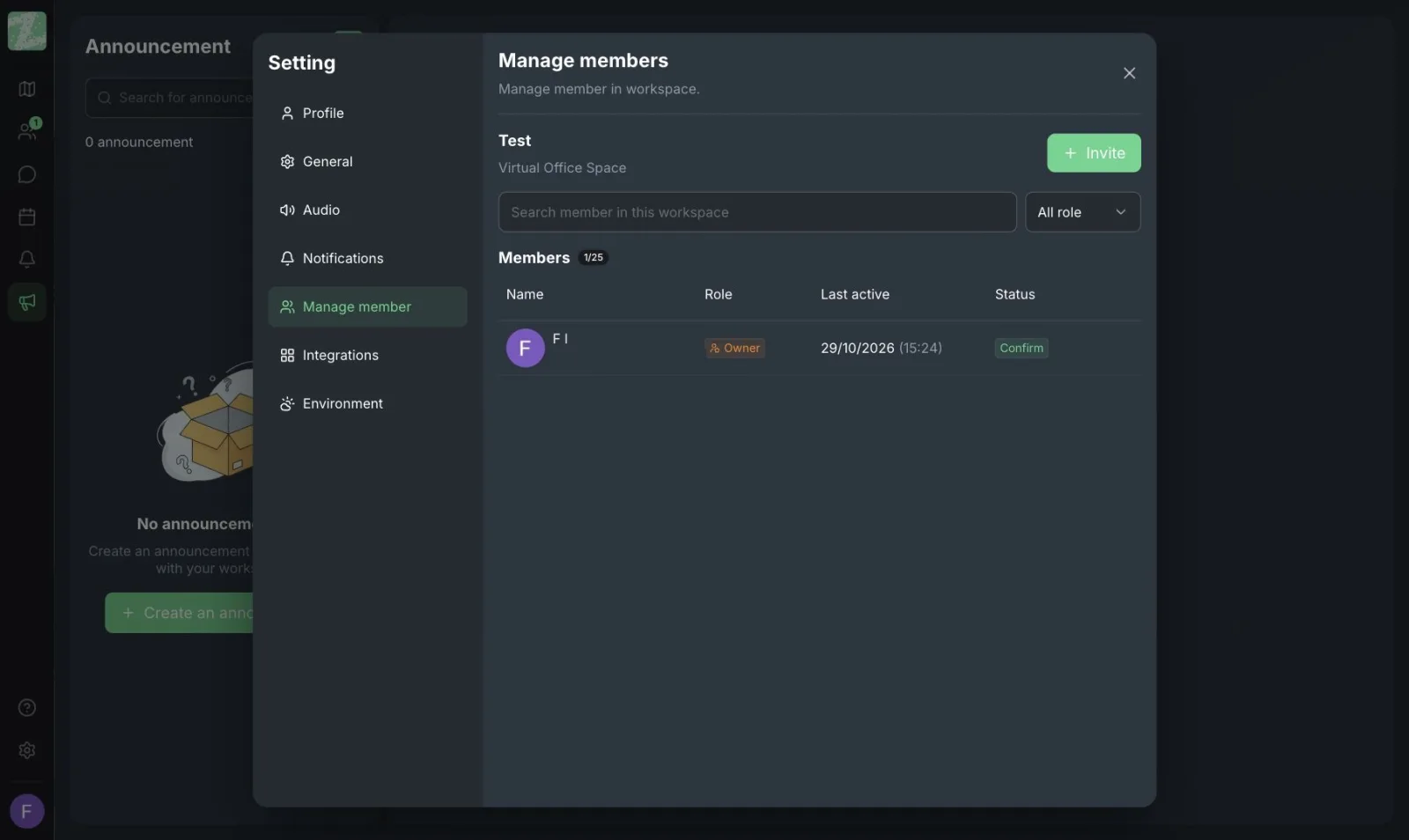
Zyra has a member management page that shows roles (such as Owner) and lets you invite members or revoke their access. According to the feature page, revoking access takes effect immediately. However, assigning roles and finer-grained permissions by duty (permission management) is part of the Pro plan, which hasn't launched yet. On the Free plan, organizers therefore have to rely mainly on rules and on people looking after the space.
Look After the Atmosphere and Safety
Open communities often overlook this until a problem happens.
- Write short rules, no more than 5. For example: respect each other; don't photograph or record others without asking; no advertising without permission; don't cross personal boundaries.
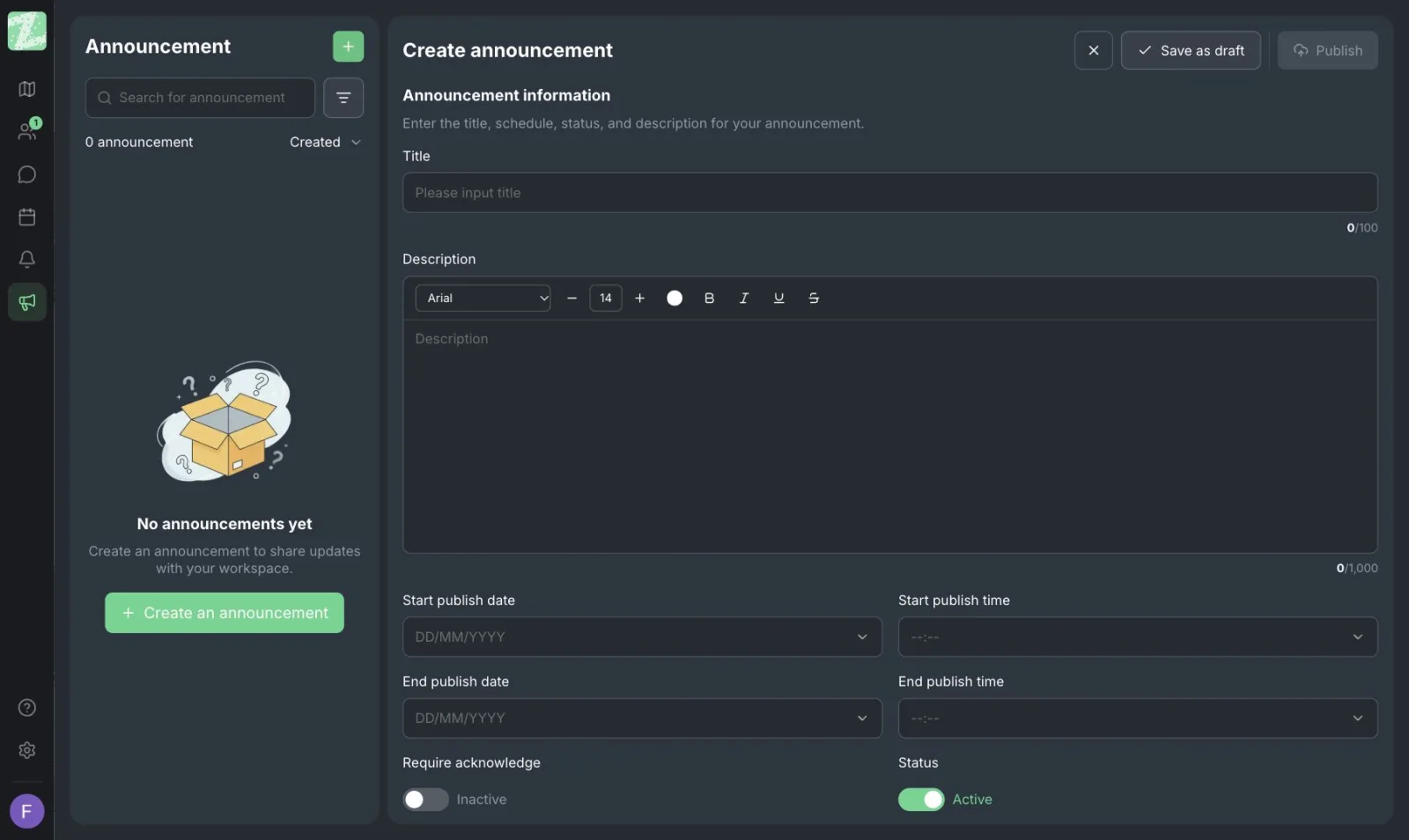
- Send the rules to new participants before they join. Use Zyra's announcement menu, which has an option asking readers to acknowledge the announcement. You can use it to confirm that people have read the rules.
- Set up a way to report concerns. Let people who feel uncomfortable tell a moderator privately, without having to announce it in front of everyone.
- Explain personal data practices. If you record images or audio with an outside tool, tell people beforehand and get their consent. Zyra's published pages don't list a recording feature.
- Watch out for uninvited people. Invite only people you know or have screened, and share invitation links publicly only to the extent you are ready to handle the result.
- Private rooms. Zyra has private zones for talking separately from the shared area. Use them when you need to discuss something sensitive with someone who needs help.
If your community involves young people, mental health or other sensitive matters, consult an expert and set additional measures beyond what this article covers.
Sample Running Order for a 90-Minute Meetup
A hypothetical example; adjust it to your group.
| Time | Activity |
|---|---|
| 0-10 min | Open the room and say hello; the greeter takes newcomers to introduce themselves |
| 10-40 min | The main topic for this session, presented by the host or an invited guest |
| 40-70 min | Split into small groups by interest; walk avatars around freely |
| 70-85 min | Come back together and share what came out of the small groups |
| 85-90 min | Close the session and announce next time's topic |
The Free plan includes 3 rooms, so you have limited room to design small groups. With 25 members or fewer, splitting into two or three groups is enough.
Sources and further reading
Frequently Asked Questions
How many people can take part?
The Free plan allows up to 25 people per workspace. The Pro plan lists unlimited members but hasn't launched, and the published pages give no tested capacity figure. If you want to hold a large event, contact the team to ask first.
Can people outside the community come in and watch without signing up?
We did not find this information on the published pages. Assume that everyone has to be an invited member, and ask the team if this condition matters to you.
Can it replace the community's Facebook group or Discord?
We don't recommend it. Zyra suits a real-time meeting room for a small circle. Its Free plan has direct messages and proximity chat, and it doesn't have features for building a large community. It works better alongside your community's main channel.
How do I handle someone who disturbs others?
Have a moderator give a polite warning first. If the behavior doesn't stop, revoke the person's membership, which according to the feature page takes effect immediately. Write the rules down clearly in advance so your decision has a basis.
How often should we hold meetups?
Start with every two weeks or once a month at the same time, and see whether people come back before increasing the frequency. For more ideas on running events on a map, see virtual events on a map.
Keep Reading
- Online Team Building Activities Your Team Wants to Join
- Virtual Office Etiquette: When to Walk Up and Talk
Start With a Small Circle You Can Really Bring Together
Open a space for a core group of up to 10 people. Try a couple of rituals and see whether people come back before you expand. It runs in the browser, and the Free plan needs no credit card.
Start using Zyra free for teams of up to 25
Try Zyra with your team
Free for up to 25 members. It runs in your browser, so there is nothing to install, and there are Android and iOS apps too.