
Quick answer: for proximity audio, chat, avatars and screen sharing in one shared space, look at Zyra World. For a map-based office, look at Gather. For a Microsoft 365 workflow, look at Microsoft Teams. Slack and Discord cover written coordination and persistent voice rooms. This guide compares the best virtual office software for engineering teams by how developers ask for help, pair and hand work off.
- Zyra World suits engineering teams that want a shared online office where a quick question can turn into a screen-sharing session.
- Gather is also a spatial virtual office with avatars and nearby conversations.
- Microsoft Teams, Slack and Discord are communication tools rather than spatial offices.
- Choose around pairing, focus time and handoffs, not the appeal of an office map.
Disclosure: this article is written by the Zyra World team, and Zyra World is our own product, so read the comparison with that in mind.
This is a feature-fit comparison based on each vendor's public descriptions. We did not run benchmarks or tests, and the right choice depends on your team.
Why this matters
Engineering teams switch between very different modes. A blocked developer needs a quick conversation. A reviewer needs context. Someone working through a hard change needs uninterrupted time.
So a virtual office should support all three without making constant availability the default. The key distinction is simple: a virtual office creates a shared place; a messaging or meeting tool creates a channel. Both can help engineers, but they solve different problems.
What makes good virtual office software for engineering teams?
Use these criteria before comparing screens:
- Quick help: can an engineer ask a question without booking a meeting?
- Pairing: can two people talk and share a screen while working through a problem?
- Focus boundaries: can the team set clear rules for when interruptions are welcome?
- Written context: is there an agreed place for decisions and handoff notes?
- Workflow fit: does the tool close a real gap, or duplicate a habit you already have?
- Security review: can you check access, administration and security needs before rollout?
Treat the last point as a separate approval step. In other words, a pleasant collaboration experience does not prove a product meets your organization's security requirements.
Engineering team options at a glance
The first two options are spatial virtual offices. The other three suit teams whose needs center on meetings, messages or voice rooms.
| Option | Best for | Standout capability | Key limitation here |
|---|---|---|---|
| Zyra World | Shared office with proximity audio | Avatars, chat and screen sharing in one space | Needs agreement on when people can walk up |
| Gather | Teams that want a map-based office | Avatar spaces with nearby conversations | Moving around adds a step to a direct question |
| Microsoft Teams | Teams on Microsoft 365 | Meetings, chat, channels and screen sharing | Channels and calls are not a spatial office |
| Slack | Written coordination | Channels, threads and huddles | A message feed is not a shared office |
| Discord | Persistent voice rooms | Voice and text channels, screen sharing | Open voice rooms still need interruption rules |
No single option wins every workflow. A spatial office helps when the shared place itself helps people connect. However, if you only need written updates, a spatial layer adds one more place to manage.
1. Zyra World: proximity-based engineering collaboration
Zyra World is an online office with shared spaces, proximity audio, chat, avatars and screen sharing. Rather than relying only on meeting invites, engineers can walk up to a colleague and start talking, then share a screen.
Pros and trade-offs
- Proximity audio ties conversations to where teammates are in the space.
- Screen sharing lets two people discuss code, a design or a failing test together.
- Chat gives a written option next to audio.
- On the other hand, a shared office needs working agreements about interruptions.
- Teams already happy with written handoffs have less reason to add a spatial workspace.
- Also, a conversation does not replace an engineering decision record.
Best for: remote engineering teams that want a shared place for informal help and pairing.
How to evaluate it
Ask a teammate to move from a chat question into a screen-sharing discussion. Then have them leave a written summary in your usual documentation system. Judge that full loop, not just the first impression of the space.
2. Gather: spatial office layouts
Gather uses avatar-based spaces and nearby conversations to organize remote interaction. Teammates move through the space instead of treating every talk as a separate meeting.
For engineers, the useful question is whether location helps explain availability. For example, a question area and a separate focus area can support team habits, but those habits still need to be explicit.
Pros and trade-offs
- A spatial layout gives conversations a place.
- Nearby conversations support informal talk.
- However, walking through a space is an extra step when you already know who you need.
- A team can spend time arranging the office without improving handoffs.
Best for: teams that specifically want an office map to organize daily interaction.
During a trial, ask an engineer who has never seen the layout to find a colleague and start a useful conversation. If the space needs repeated explanation, count that effort in your decision.
3. Microsoft Teams: a Microsoft 365 workflow
Microsoft Teams combines meetings, chat, channels and screen sharing. It is a communication alternative to a spatial office, not an avatar-based environment.
If your engineers already use Microsoft 365, first ask whether existing meeting and channel habits already cover the problem. A scheduled design review plus a written follow-up does not require a virtual office.
Pros and trade-offs
- Meetings support planned technical discussions.
- Screen sharing supports walkthroughs and joint troubleshooting.
- Still, meeting-based work does not create nearby, unplanned conversations.
- Adding another platform next to an established setup needs a clear split of roles.
Best for: engineering teams that want better coordination inside an existing Microsoft 365 setup.
4. Slack: written engineering coordination
Slack organizes communication through channels and threads, with huddles for live talk. It suits engineering work that starts as a written question and moves into a call only when needed.
Pros and trade-offs
- Channels separate discussions by team or workstream.
- Threads keep replies attached to one conversation.
- Huddles offer a route from text into live discussion.
- But a message feed does not show who is open to a quick interruption.
- Important decisions still need a home outside a passing thread.
Best for: engineering teams that put written coordination first and talk live only when needed.
Test a realistic handoff: an engineer leaves a question with enough context for someone to answer later. If that resolves the issue cleanly, your main need may not be a virtual office at all.
5. Discord: persistent voice rooms
Discord provides voice channels, text channels and screen sharing. Its structure suits teams that want named rooms for live conversation without an avatar-based office.
The difference is fixed rooms rather than moving closer to someone. Engineers pick a voice channel to join instead of walking up to a colleague.
Pros and trade-offs
- Voice channels give live discussion a known place.
- Text channels sit alongside voice.
- Yet joining a voice room does not tell anyone whether you are free for questions.
- Voice talk needs a separate habit for recording decisions.
Best for: teams that deliberately want persistent voice rooms and clear participation rules. Check your organization's access and administration requirements before choosing it for work.
How we framed this comparison
This list puts the stated goal first: a virtual office for engineering teams. Zyra World comes first because it is our product and its features match that goal directly. Gather fills the other spatial-office slot. Microsoft Teams, Slack and Discord cover narrower communication needs and are listed as alternatives, not equivalents.
The order reflects feature and workflow fit, not measured productivity or benchmark results. Your final choice should also pass your own security, access and administration review.
Run an engineering workflow check before choosing
Use the same sequence for every candidate, so novelty does not decide the result.
- Set boundaries. Agree when teammates welcome questions and how they signal focus time.
- Ask for help. One engineer brings a specific blocker with enough context to discuss it.
- Share a screen. Work through the problem together without exposing confidential material.
- Record the decision. Leave the outcome, open question and next owner in your usual system.
A manageable trial is 2 engineers, a 20-minute session and 1 real blocker. These are suggested limits, not product specifications.
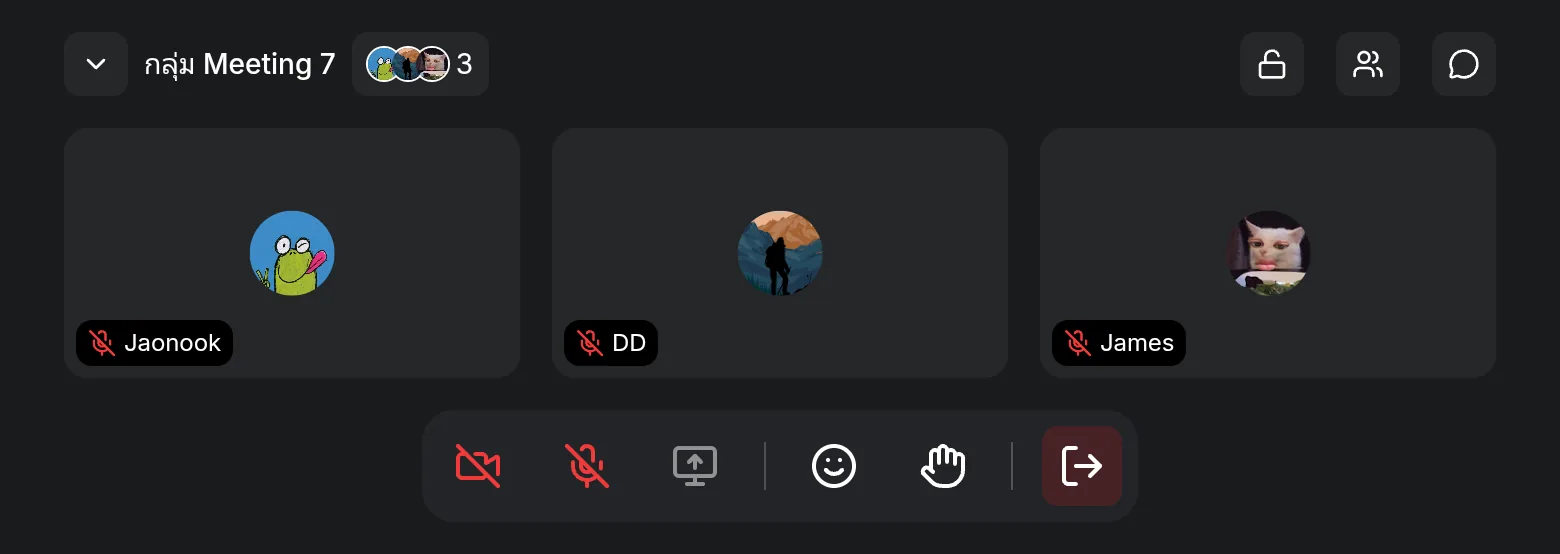
Afterwards, ask three questions. Did finding help feel natural? Did the screen-sharing session answer the question? Could the next engineer understand the outcome from the written note alone?
Which option should you choose?
Choose a spatial virtual office when the missing piece is a shared place for informal help. Choose a channel or meeting tool when the missing piece is structured communication.
If you lead an engineering team and are undecided, start with one team and an explicit interruption policy. Don't replace working documentation or issue tracking just to make the new space central. Instead, be clear about where people talk, where work is tracked and where decisions stay readable.
Sources and further reading
- Zyra World plans and Free plan limits (checked November 2026)
- Gather (checked November 2026)
- Microsoft Teams help and learning (checked November 2026)
- Slack: channels and Use huddles in Slack (checked November 2026)
- Discord (checked November 2026)
Frequently asked questions
What is the best virtual office software for engineering teams?
It depends on the gap. Zyra World fits teams that want a shared space with proximity audio, chat, avatars and screen sharing. Check workflow fit and your organization's requirements before you roll it out.
Is a virtual office better than Slack for engineers?
Neither is better everywhere. A virtual office suits shared, spoken interaction, while Slack suits channel-based written coordination. Choose by the communication gap you need to close.
Can Microsoft Teams replace a virtual office?
Microsoft Teams covers meetings, chat, channels and screen sharing, but that is not the same as a spatial office. It is a good alternative when your team does not need nearby, unplanned conversations.
Should engineers stay in a virtual office all day?
No. Constant presence should not be the default. Define collaboration periods and focus time so being reachable does not turn into an expectation of instant replies.
Is Discord a virtual office?
Discord is a voice-and-text communication tool, not an avatar-based spatial office. Its persistent voice channels suit teams that prefer named rooms over moving around a virtual space.
One last thing
The most revealing part of a virtual-office trial happens after the conversation ends. Ask a teammate who missed the discussion to explain the decision and next action from the written note.
If they can't, fix the handoff before you expand the rollout. A more natural conversation helps, but a decision only its participants remember is unfinished work.
Keep Reading
- Daily Stand-up for Agency and Dev Teams: Format, Timing and What to Avoid
- Virtual Office Etiquette: When You Should and Shouldn't Walk Up to Talk
- What Is Asynchronous Work? Fewer Meetings, Less Waiting, Work That Moves Across Time
- 10 Best Virtual Office Platforms for Remote Teams (2026)
Try Zyra With Your Team
Try Zyra free for teams of up to 25 members. It runs in the browser with nothing to install, so your engineers can test a real blocker in it before you decide.
Start using Zyra free for teams of up to 25 members
Try Zyra with your team
Free for up to 25 members. It runs in your browser, so there is nothing to install, and there are Android and iOS apps too.