
The Online Office Is Open, but Nobody Knows How to Behave
Here is a hypothetical. A 12-person team starts using an online office. In the first week, one person keeps their camera on all day and another never turns it on. Some people assume that an avatar on the map means "available to talk at any time." Others mute themselves and disappear for half a day, and nobody knows what they are stuck on. Nobody did anything wrong. The team simply hasn't agreed on shared ground rules yet.
This article is a template. Each section is written as a short block of text that you can copy into your team's document and adjust right away.
Note: This is general guidance, not legal advice. Any policy that touches employment contracts, working hours or employees' personal data should be reviewed by your legal team or an advisor before it is announced. For related background, see Work-From-Home Law in Thailand and Data Security and PDPA. (PDPA is Thailand's Personal Data Protection Act.)
How to Use This Template
- Copy only the sections your team needs. You don't have to use all of them.
- Replace the text in [square brackets] with your team's own values.
- Have the team read and edit it together before you announce it, because rules the team helped write are more likely to be followed.
- Review it again after one month of use.
Section 1: Purpose
[Company name]'s online office is a place for the team to talk about work, ask quick questions and see who is free. It is not a tool for monitoring work. We measure work by results, not by how long an avatar stays on the map.
The last sentence matters. A team will only use the space if people don't feel watched. Read more in How to Track Remote Work Without Micromanaging.
Section 2: Core Hours
Everyone joins the online office and replies to messages during [for example, 10:00–15:00], in the [specify] time zone. Outside these hours, work flexibly as agreed with your team lead. Meetings that need several people must be scheduled within this window only.
When you write this policy, also check the working-hour terms in your employment contracts and under labor law.
Section 3: Status and Presence on the Map
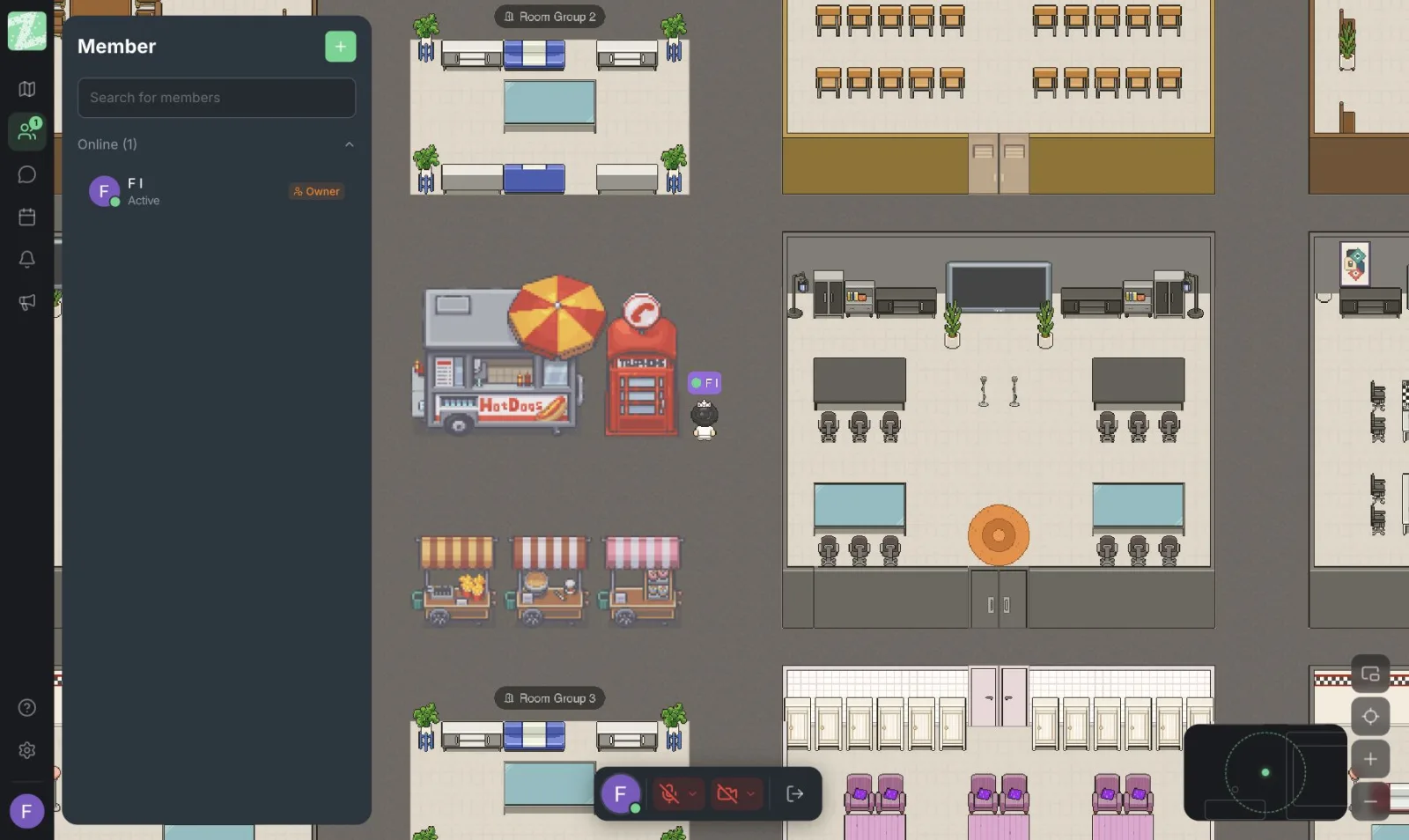
- Being close together = available to talk. Walk over and say hello.
- Muting your mic or moving into a quiet room = asking for focus time. Leave a message and the person will reply when they are free.
- If you will be away from your screen for more than [30 minutes], set your status to [break/away] or tell the team in chat.
- Nobody is expected to reply immediately, except in a truly urgent case, in which case put the word "urgent" in the message.
For the principles of walking up to someone to talk, and what to do when the other person looks busy, see the details in Etiquette for Chatting in a Virtual Office.
Section 4: Camera and Microphone
- The camera is optional. It is not required to be on all day.
- For meetings with clients, or meetings your team lead has specified in advance, the camera is expected to be on when convenient.
- Mute your mic when you are not speaking in a room with several people.
- If there is background noise at home, you can move to a quiet room or use text instead, with no need to explain why.
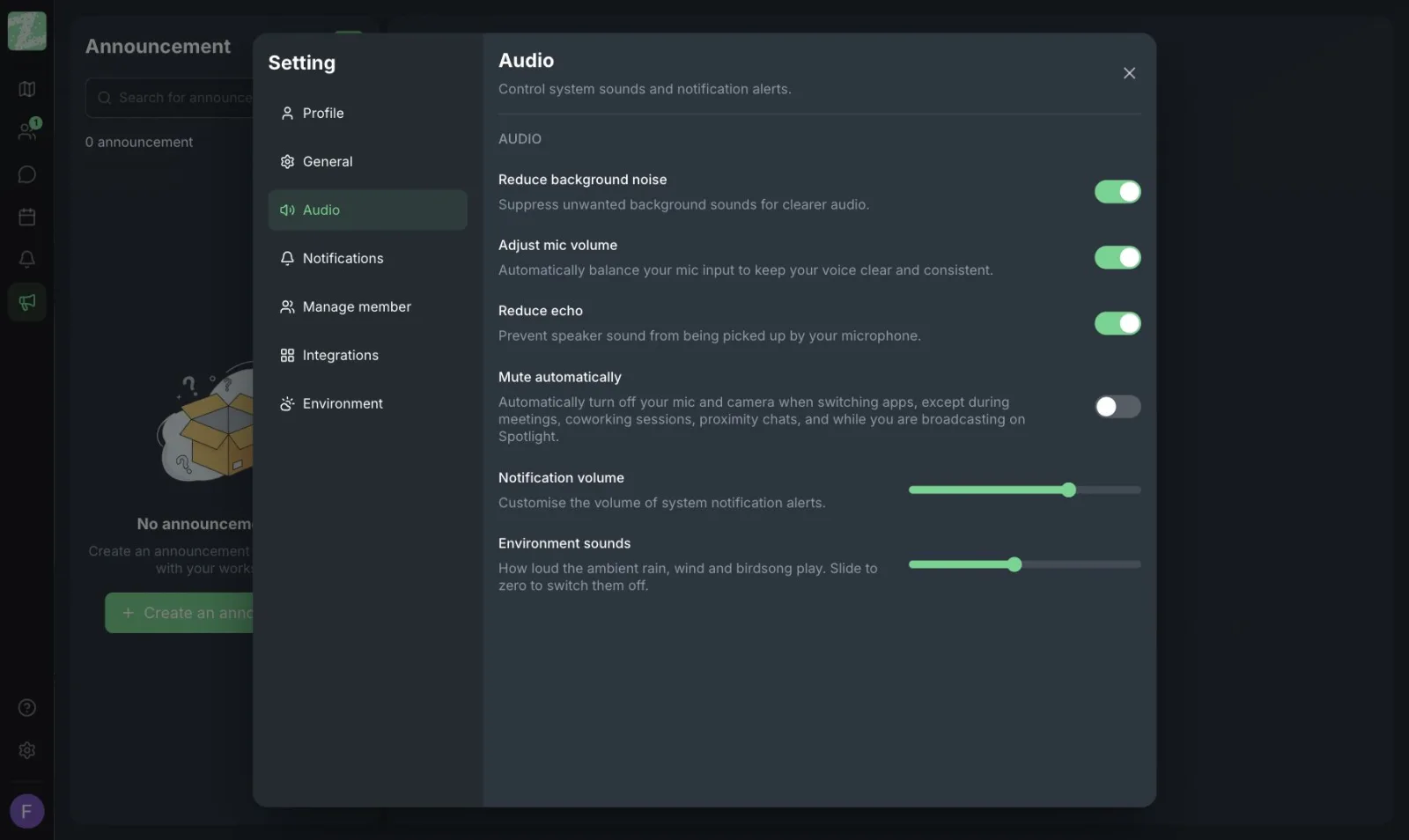
Zyra's audio settings page offers options to reduce background noise, reduce echo, and automatically turn off the mic and camera when you switch to another app (except during meetings or proximity conversations). These make the rules above easier to follow. Video calls and screen sharing are part of the Pro plan, which the pricing page lists as coming soon.
Section 5: Privacy
- Do not record the audio, video or screen of colleagues without the consent of everyone involved.
- Private rooms are for matters that others should not overhear, such as personnel issues and client information.
- Do not use the online office to track individuals' location or online time in order to evaluate their performance.
- Do not send client data, personal data or passwords in chat.
A private zone only separates conversation space on the map. It is not the whole of a company's security measures. For a list of additional measures, see Data Security and PDPA.
Section 6: Recording Conclusions
- Conclusions and decisions about work must be recorded in [your team's task tool, such as Notion/Trello/a shared document] by [the same day].
- Conversations in the online office are not treated as an official record.
- The people who talked write the short summary, 2–3 lines: what was agreed, who is doing it, and by when.
There is a real reason for this section: according to the pricing page, channels and threads are in the Pro plan, which has not launched yet, so chat should not be used as the place where decisions are kept.
Section 7: Onboarding New Employees
- On day one, a teammate (a buddy) walks the new person around the map, the meeting rooms and the quiet rooms.
- In the first week, the team lead schedules a short walk-in chat at least [once a day].
- New employees can ask questions at any time and shouldn't worry about interrupting. Check your colleague's status before you say hello.
For the full process of onboarding remote employees, see the Remote Onboarding Guide.
Section 8: Meetings With People Outside the Team
Meetings with clients and other outside parties continue to use [Google Meet/Zoom]. The online office is for work within the team.
At present, Zyra's feature page does not list a dedicated feature for inviting outside guests, so this point should be written into the policy clearly.
Section 9: Reviewing the Policy
This policy is a trial for [1 month]. After that, the team reviews together which parts work and which need to change. The owner of this policy is [job title].
Sources and further reading
Frequently Asked Questions
Does this policy need a legal review?
If the policy touches employment contracts, working hours or the collection of employees' personal data, have an expert review it before you announce it. This article is general guidance, not legal advice.
Can we require everyone to turn their camera on?
That is a decision for your company, and you should assess the privacy and employment-terms questions with an expert. This template makes the camera optional to reduce the fatigue of video meetings. See The Problem of Video Call Fatigue.
Does a small team with only a few people need a policy?
It doesn't need to be long. Three points are enough: core hours, what each status means, and where work conclusions are recorded. Add the rest as the team grows.
Does the Free plan have enough features to follow this policy?
The Free plan (for teams of up to 25 members) includes proximity chat, private messages and 3 rooms. Channels/threads, video calls and screen sharing are in Pro, which is still listed as coming soon. Check the pricing page.
How should we announce the policy so the team accepts it?
Have the team help draft and edit it before it is announced, state clearly that its purpose is not monitoring, and set a review date.
Start With a Trial, Then Adjust
Try it with a small team first, adjust the wording to match how the team actually works, and then roll it out company-wide. You can open a workspace for free for teams of up to 25 members.
Start using Zyra for free, for teams of up to 25 members
Try Zyra with your team
Free for up to 25 members. It runs in your browser, so there is nothing to install, and there are Android and iOS apps too.