
Quick answer: for a shared online office with proximity audio, chat, avatars and screen sharing, look at Zyra World. For a map-based workspace, look at Gather. For an office-style floor, look at Kumospace. For conversation groups in rooms, look at SpatialChat. This guide compares the best virtual office software for sales teams by how reps get help between calls, coach each other and protect selling time.
- Zyra World suits sales teams that want to walk over to a manager or colleague between calls, the way they would on a sales floor.
- Gather and Kumospace are also spatial offices with avatars and nearby conversations.
- SpatialChat organises talk into rooms and groups.
- Keep customer calls in your usual meeting tool, and keep deals and notes in your CRM.
Disclosure: this article is written by the Zyra World team, and Zyra World is our own product, so read the comparison with that in mind.
This is a feature-fit comparison based on each vendor's public descriptions. We did not run benchmarks or tests, and the right choice depends on your team.
Why this matters
On a sales floor, help is a few steps away. A rep finishes a tough call, turns to a colleague and asks how to handle an objection. A manager hears a call going sideways and steps in. Remote sales teams lose that, and every question turns into a message or a booked call.
At the same time, reps need long stretches for calls, follow-ups and prospecting. A good virtual office should make help easy without making everyone permanently available.
What makes good virtual office software for sales teams?
- Quick help between calls: a rep can reach a colleague or manager in seconds.
- Coaching: a manager can listen, share a screen and review a pitch together.
- Focus: reps can show they are on a call or prospecting and should not be interrupted.
- Team energy: wins and updates feel shared, not lost in a channel.
- Separation from customer calls: clients still join through your normal meeting tool.
- Easy start: no install for the team, so a pilot can begin today.
Sales team options at a glance
| Software | Best for | Standout feature | Watch out for |
|---|---|---|---|
| Zyra World | A shared sales floor online | Avatars, proximity audio, chat and screen sharing in one space | Agree focus rules so reps are not interrupted mid-prospecting |
| Gather | A map-based team space | Avatar spaces with nearby conversations | Moving around adds a step when you know who you need |
| Kumospace | An office-style floor | Rooms and a floor plan | Check which features sit on which plan |
| SpatialChat | Conversation groups | Rooms with group discussions | More event-like than an everyday office |
1. Zyra World: a shared sales floor online
Zyra World puts the team on one office map as avatars. A rep walks up to a colleague and audio connects, with no link to send. Meeting rooms with video and screen sharing are there for coaching, and team chat keeps quick notes. It runs in the browser, with iOS, Android and Mac apps too.
Where it fits your sales day
- Morning huddle at a meeting spot, then everyone walks back to their desks.
- Between calls, walk to the manager's desk for a 2-minute objection check.
- Coaching session in a room: share the screen, walk through a pitch deck.
- On the other hand, set a clear "on a call" signal so nobody walks into a prospecting block.
Best for: sales teams of up to 25 people who want a shared floor for help and coaching (Free plan), with Pro coming soon for larger teams.
2. Gather: a map-based team space
Gather offers avatar-based spaces where people talk with those nearby. Sales teams that like designing a detailed office map often enjoy it.
Where it fits your sales day
- A visible team area for questions and a quieter area for calls.
- However, walking across a large map takes time when you just need one person.
Best for: teams that want to put time into a custom map.
3. Kumospace: an office-style floor
Kumospace presents rooms and a floor plan, with conversations based on where you stand. It can feel close to a familiar office.
Where it fits your sales day
- Separate rooms for regions or product lines.
- Still, check which features and member counts each plan includes before you commit.
Best for: teams that want an office-like layout with rooms.
4. SpatialChat: conversation groups
SpatialChat organises people into rooms where they can move between conversation groups. It suits sessions with many small groups.
Where it fits your sales day
- Sales kick-offs, role-play rounds or workshops with break-out groups.
- Yet it is more of an event space than an everyday office.
Best for: sales training sessions and team events.
Test the sales workflow before choosing
Use one week and the same steps for every option.
- Morning huddle: 10 minutes, everyone together, then back to desks.
- Help between calls: each rep asks one live question after a call. Note how long it takes to get an answer.
- Coaching: one 20-minute screen-share review of a pitch or a call recap.
- Focus: reps mark one 90-minute prospecting block. Check that nobody walks in.
- Review: what got faster, and what interrupted selling time.
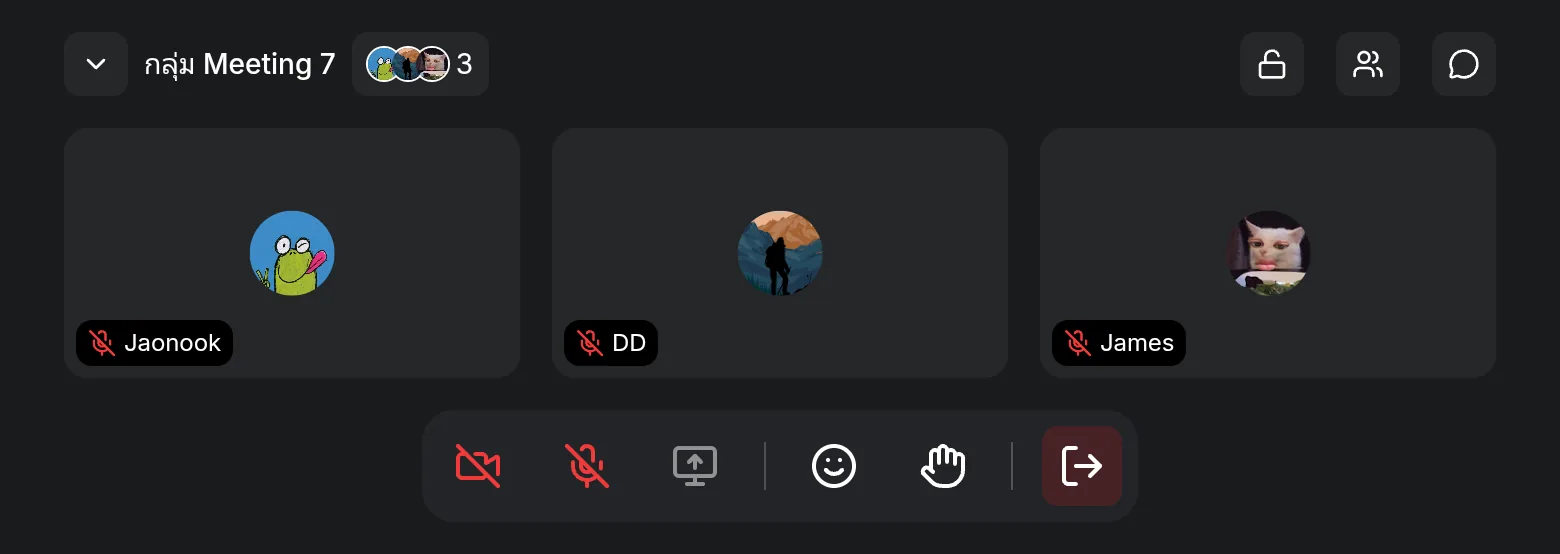
How we framed this comparison
The order reflects fit for a remote sales floor, not a measured ranking. Zyra World is first because it is our product and was built for this kind of everyday office. The others are good alternatives with different strengths.
Which virtual office software should you choose?
Choose a shared online office when your reps lose time waiting for answers between calls. Choose a more event-like space when you mostly need training sessions. In every case, keep customer meetings in your usual tool and deals in your CRM.
Sources and further reading
- Zyra World plans and Free plan limits (checked November 2026)
- Gather (checked November 2026)
- Kumospace (checked November 2026)
- SpatialChat (checked November 2026)
Frequently asked questions
What is the best virtual office software for sales teams?
It depends on how your team works. Zyra World fits teams that want a shared sales floor with proximity audio, chat and screen sharing. Event-style tools fit training sessions better.
Can we take customer calls inside a virtual office?
Most teams keep customer calls in their usual meeting tool, because clients already know it. Use the virtual office for the team's internal talk and coaching.
How do reps avoid being interrupted?
Agree a simple signal for "on a call" or "prospecting", and a rule not to walk into those areas. Proximity chat only connects when someone walks close.
Does a virtual office replace our CRM?
No. Keep deals, notes and next steps in your CRM. The virtual office is where the team talks.
How big can the team be?
Zyra World's Free plan covers teams of up to 25 members. Pro is coming soon for larger teams.
One last thing
The best sign that a virtual office works for sales is simple: reps get answers faster between calls, and selling time stays protected. Measure both in your pilot.
Keep Reading
- The 10 Best Virtual Office Platforms in 2026
- Best virtual office software for customer support teams
- How to Manage a Remote Team and Keep It a Team: A Guide for New Managers
- Virtual Office Etiquette: When You Should and Shouldn't Walk Up to Talk
Try Zyra With Your Team
Try Zyra free for teams of up to 25 members. It runs in the browser with nothing to install, so your sales team can run the one-week test above.
Start using Zyra free for teams of up to 25 members
Try Zyra with your team
Free for up to 25 members. It runs in your browser, so there is nothing to install, and there are Android and iOS apps too.