
Short answer: proximity voice chat uses the distance between avatars in a shared virtual space to decide who you hear. Walk your avatar close to someone and you can talk; walk away and the conversation fades out. The distance is measured on the virtual map, not between your real locations.
- How does proximity voice chat work? The app checks how far apart avatars are and connects audio for people who are near each other.
- It suits short, unplanned conversations; a meeting call suits planned discussions with everyone.
- Being out of range is not the same as privacy, so use an approved restricted channel for sensitive topics.
- Test it with your own team and headphones before you roll it out.
Disclosure: this article is written by the Zyra World team. Zyra World is an online office that uses proximity voice chat, so read it with that in mind.
Why this matters
In a video meeting everyone hears everyone. That works for a planned discussion, but it is a poor fit for a quick question. You have to send a link, wait for people to join and talk in front of the whole group.
Proximity voice chat copies how a real office works instead. You walk over to the person you need, talk, and walk back to your desk. Other people nearby can join, and people further away carry on working.
How does proximity voice chat work?
Every person appears as an avatar on a shared map. The app keeps track of where each avatar is. When two avatars are within a set distance, it opens an audio connection between them. When they move apart, it closes the connection again.
In practice the experience feels like this:
- You walk up. Move your avatar next to a colleague. Their voice comes on, and so does yours.
- Others join. A third person walks over and becomes part of the same conversation.
- You walk away. Leave the group and the audio stops. Nobody has to end a call.
Some products also change the volume with distance, so a voice gets quieter as you move away. Elsewhere, clear zones or rooms let everyone inside hear each other. In other words, the exact behaviour depends on the product, so try it before you decide.
What decides who hears you?
Three things usually matter: the distance between avatars, the room or zone you are in, and whether your microphone is on. Room behaviour varies by product and settings. Check access and audio isolation rather than relying on the room label. Your microphone and speaker settings still apply, just as they do in any call.
Proximity audio versus a meeting call
| Proximity voice chat | Meeting call (Zoom, Meet) | |
|---|---|---|
| How you start | Walk up to someone | Send or open a link |
| Who hears you | People near your avatar | Everyone in the call |
| Best for | Quick questions, pairing, casual talk | Planned discussions, presentations |
| How it ends | Walk away | Someone ends the call |
Neither one replaces the other. Many teams keep a meeting tool for clients and big sessions, and use proximity chat for everyday talk inside the team.
Is proximity audio the same as spatial audio?
Not exactly. Proximity audio decides *whether* you hear someone based on distance. Spatial audio goes further and places voices left or right, so they seem to come from where the avatar stands. A product can have proximity audio without full spatial audio.
Can people outside the conversation hear you?
Usually not, if they are out of range. However, out of range is not a privacy guarantee: anyone can walk closer. For a performance review, a client issue or anything confidential, use a channel approved for that information and restrict access to the intended participants.
Do you need headphones?
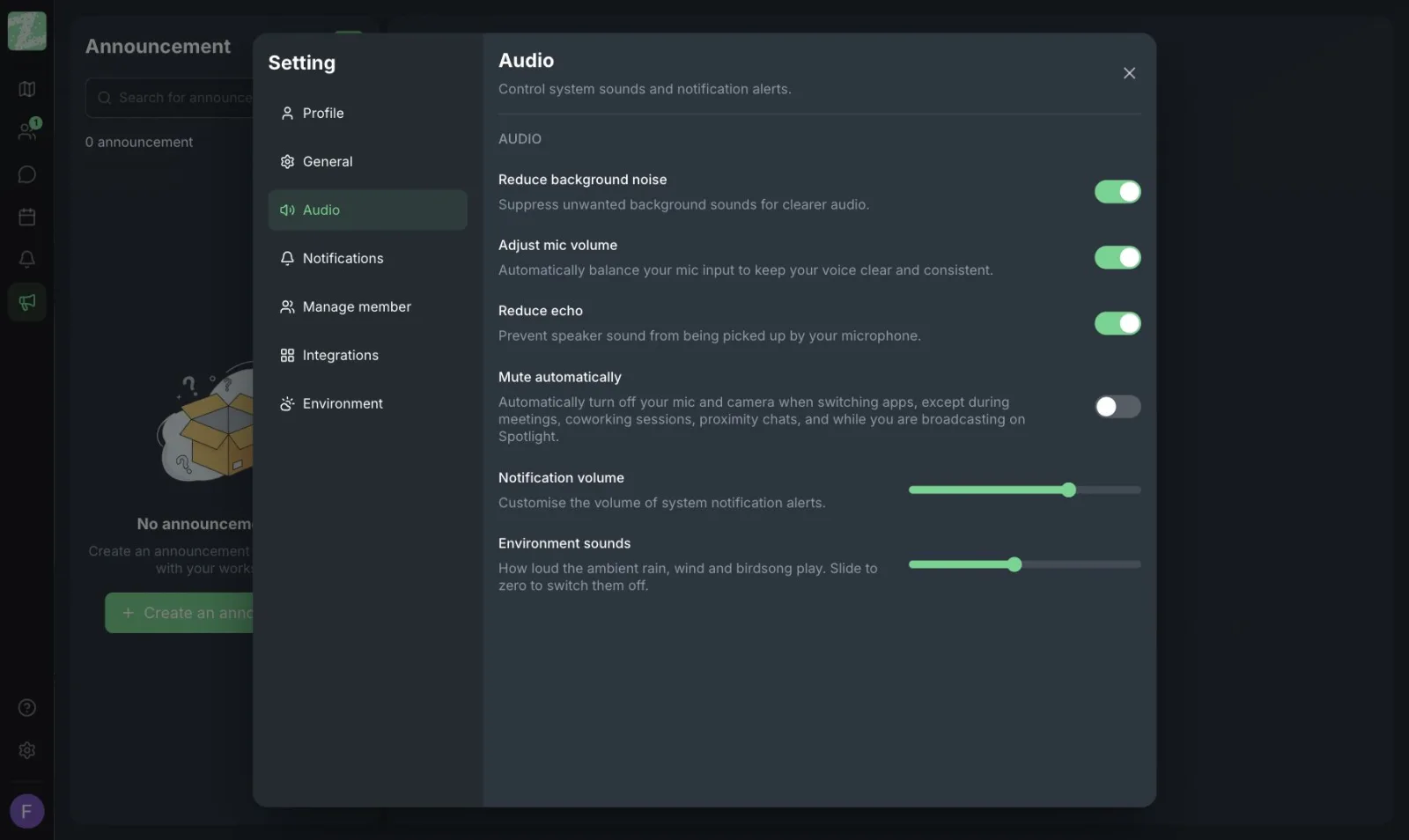
Headphones are strongly recommended. Without them, your speakers can feed other people's voices back into your microphone, and they hear an echo. If you hear echo or someone cannot hear you, see our audio troubleshooting guide.
How to test proximity voice chat before rollout
Run this short check with two or three teammates; the whole thing takes about 15 minutes.
- Start nearby. Two people stand next to each other and talk. Check that both voices are clear.
- Move apart. One person walks away. Check that the audio fades or stops when you expect it to.
- Add a third person. Someone joins the group. Check that all three can talk without setting anything up.
- Try a private room. Two people go into a private room. Check that someone outside cannot hear them.
- Reconnect. One person refreshes the page. Check how quickly they are back in the conversation.
When does proximity voice chat make sense?
It makes sense when your team often needs short, live conversations during shared working hours: quick questions, pairing on a problem, or an informal chat. It makes less sense when people rarely work at the same time. In that case written updates do more of the work.
Agree a few simple rules too, for example how people show they are busy and when it is fine to walk up. Our guide to virtual office etiquette lists seven of them.
Sources and further reading
- Zyra World features and plans (checked November 2026)
- MDN: Web Audio API spatialization basics, for how browsers can place sound in space (checked November 2026)
Frequently asked questions
How does proximity voice chat work in a virtual office?
The app tracks where each avatar is on the map and connects audio between people who are close together. Move closer to talk; move away to leave the conversation.
Is proximity voice chat private?
Do not treat audio range as a privacy control. People can move closer, and room settings vary. Use an approved restricted channel for confidential topics.
Do I need to install anything?
That depends on the product. Zyra World runs in the browser with nothing to install, and there are iOS, Android and Mac apps too.
Can proximity chat replace meetings?
It can replace many quick calls, but not planned meetings with an agenda, a decision-maker or outside guests. Keep a meeting tool for those.
How many people can talk at once?
Limits vary by platform and plan. Test with the expected number of people and use a meeting format confirmed to support the group when everyone needs to hear the same discussion.
One last thing
Proximity voice chat works because it is easy to start and easy to leave. Protect that: agree how people show they are busy, keep decisions written down, and let walking away be a normal part of the day.
Keep Reading
- Best Proximity Voice Chat Apps for Remote Teams (2026)
- Virtual Office Etiquette: When You Should and Shouldn't Walk Up to Talk
- Mic not working, echo or camera off: fixing audio and video in a virtual office
- Is a Virtual Office Worth It for Remote Teams?
Try Zyra With Your Team
Try Zyra free for teams of up to 25 members. It runs in the browser with nothing to install, so you can run the 15-minute test above today.
Start using Zyra free for teams of up to 25 members
Try Zyra with your team
Free for up to 25 members. It runs in your browser, so there is nothing to install, and there are Android and iOS apps too.