
Short answer: virtual office software cost depends on three things: how many people you need to cover, which features are included, and how long you commit. Many tools have a free plan for small teams and charge per user per month above that. Your real budget should also count setup time and the tools you still keep.
- Compare virtual office software cost with the same team size, the same features and the same billing period.
- Separate the subscription from setup effort and the other tools you still pay for.
- Start on a free plan or a short trial before you commit to a year.
- Prices change often, so check each vendor's pricing page on the day you decide.
Disclosure: this article is written by the Zyra World team, who build an online office, so read it with that in mind.
This article is about collaboration software. If you want to compare it with renting a physical office, see our office rent calculator guide.
Why this matters
A price list rarely answers the real question. One tool shows a low price for a small team; another shows a higher price that already includes meetings and storage. A self-hosted option looks free but needs someone to run it. If you compare the headline numbers, you compare different things.
So the useful question is: what will it cost to support *your* team doing *your* daily work?
Why virtual office software cost varies
- Team size. Most tools price per member. Some free plans stop at a member limit.
- Features. Meeting rooms, recording, storage, admin controls and guest access may sit on different plans.
- Billing period. Monthly plans cost more per month than annual plans but let you stop sooner.
- Hosting. A hosted service includes upkeep. A self-hosted, open-source tool shifts that cost to your own team.
- Overlap. If you keep your chat and meeting tools as well, the new tool adds to them instead of replacing them.
Build a budget you can compare
Use the same worksheet for every option on your shortlist.
| Line | What to write down |
|---|---|
| Members | How many people need a seat now, and in 6 months |
| Plan | The exact plan name and what it includes |
| Price | Per member per month, monthly vs annual |
| Limits | Members, rooms, storage, meeting length |
| Extras | Guests, recording, admin, support |
| Setup | Hours to set up the space and invite the team |
| Overlap | Tools you keep paying for anyway |
| Exit | How easy it is to stop or downgrade |
For example, a 20-person team on a free plan pays nothing for the software, but still spends a few hours setting up the office and agreeing how to use it. A 60-person team on a paid plan pays per member, plus the same setup time. Write both into the budget.
Which commitment fits your team?
Start free or on a trial: best when the workflow is still uncertain
If you are not yet sure how the team will use a virtual office, start on a free plan or a trial with a small group. Learn what you actually need before you pay for it.
Pay monthly: best when requirements may change
Monthly billing costs a little more but keeps you flexible while team size or habits are changing.
Commit to a year: best for established use
An annual plan makes sense once the team uses the tool every day and you know which features you need.
What to test before you approve a paid plan
Run a two-week test with one real workflow, such as a daily stand-up or a help session. Check whether people can find each other, talk without booking a meeting, share a screen and leave a written note afterwards. If the answer is yes for most of the team, the cost has a clear reason.
Where Zyra World fits
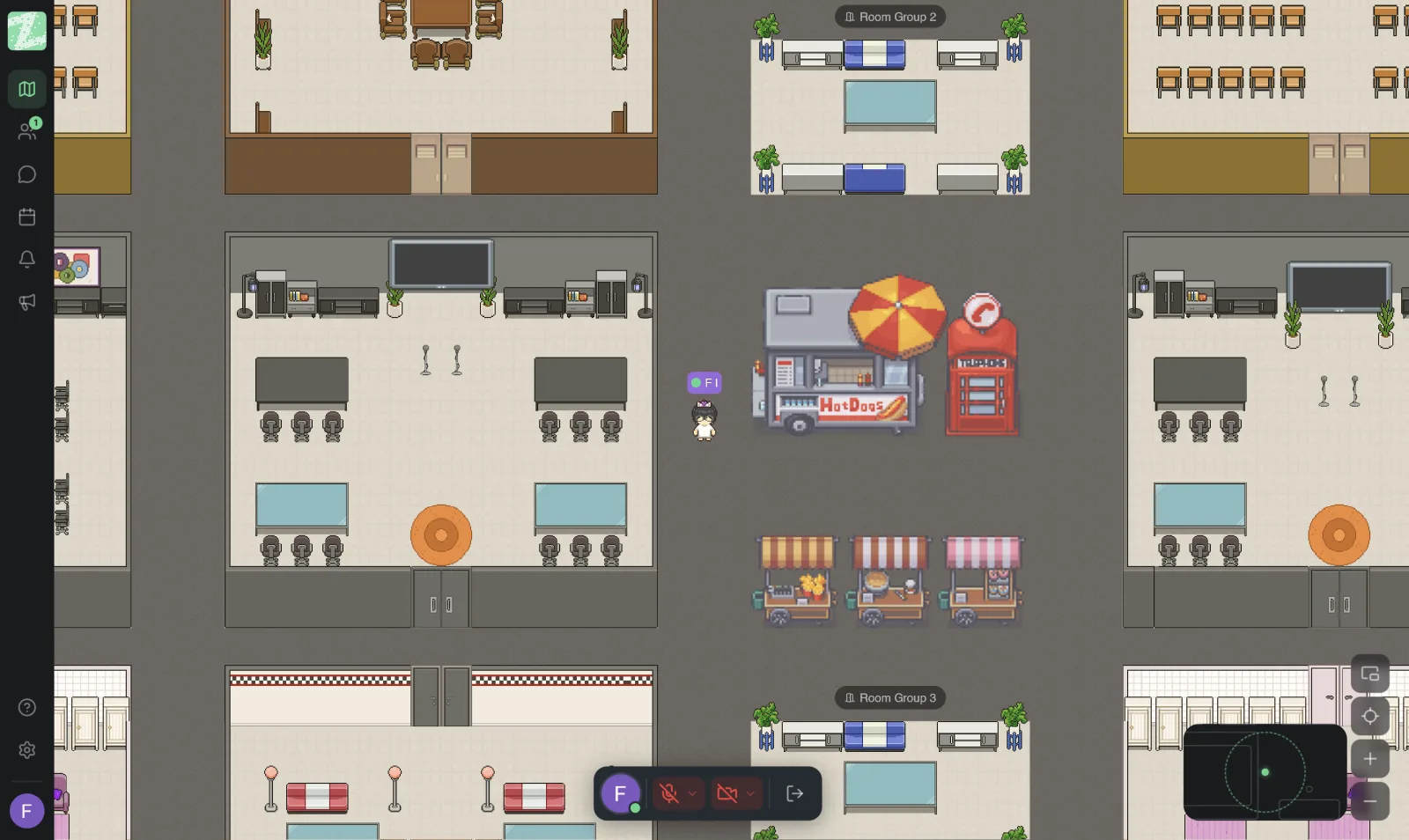
Zyra World has a Free plan for teams of up to 25 members, with no credit card. It includes 1 virtual office space, 2 GB of storage, proximity chat and basic avatar customization, with community support. Check the current details on the Plan page.
That makes it a reasonable place to start a test without a budget request. For teams above 25 members, check the Plan page for what is available today.
Should you budget for every employee?
Not always. Budget for the people who will use the office during shared working hours. Contractors, part-time staff or occasional guests may not need a full seat, depending on the plan.
Can virtual office software replace other subscriptions?
Sometimes, partly. A virtual office can take over quick calls and team chat that used to happen in meeting tools. However, most teams keep a meeting tool for clients and a document tool for written work. Count only the subscriptions you will actually cancel as savings.
Sources and further reading
- Zyra World plans and Free plan limits (checked November 2026)
- Zoom pricing, for comparing a meeting tool's plans (checked November 2026)
Frequently asked questions
How much does virtual office software cost?
It depends on team size, features and billing period. Many tools have a free plan for small teams and charge per member per month above that. Check each vendor's pricing page on the day you decide.
Is there free virtual office software?
Yes. Zyra World has a Free plan for teams of up to 25 members with no credit card. Other tools also offer free tiers with their own limits.
Is self-hosted virtual office software cheaper?
The license may cost nothing, but someone has to install, update and support it. Count that time as part of the cost.
Should we pay monthly or annually?
Pay monthly while you are still testing. Move to annual billing once daily use is settled and you know which features you need.
What hidden costs should we include?
Setup time, training, tools you keep paying for, guest access and any add-ons such as recording or extra storage.
One last thing
The cheapest option is the one your team actually uses. Start small, measure one workflow, and pay for more only when the daily habit is there.
Keep Reading
- Online Office vs Renting an Office: Calculate the Cost With Your Own Team's Numbers
- How Much Does Zoom Cost: Zoom vs Google Meet Plans for Small Teams
- Is a Virtual Office Worth It for Remote Teams?
- The 10 Best Virtual Office Platforms in 2026
Try Zyra With Your Team
Try Zyra free for teams of up to 25 members. It runs in the browser with nothing to install, so you can test a real workflow before you spend anything.
Start using Zyra free for teams of up to 25 members
Try Zyra with your team
Free for up to 25 members. It runs in your browser, so there is nothing to install, and there are Android and iOS apps too.