
Short answer: a virtual office is worth it if your remote team needs easier, informal conversations and will use a shared space during overlapping hours. It is not worth adding when chat and scheduled calls already cover the work, or when people rarely work at the same time. The deciding factor is whether it removes coordination friction without becoming one more place everyone must watch.
- Yes, a virtual office is worth it when shared presence solves a specific teamwork problem.
- No, it is not worth it for work that needs little live contact.
- Keep written decisions outside passing conversations, so absent teammates can catch up.
- Test one recurring workflow before asking the whole team to adopt another workspace.
Disclosure: this article is written by the Zyra World team, who build an online office, so read it with that in mind.
This article is about collaboration software, not a registered business address or mail-handling service. If you want to compare the cost of an online office with renting a real one, see our online office vs office rent calculator guide.
Why this matters
A virtual office adds a shared place to work, but shared presence is not an outcome by itself. So the real question is simpler: what becomes easier when teammates can find and talk to each other without booking a meeting?
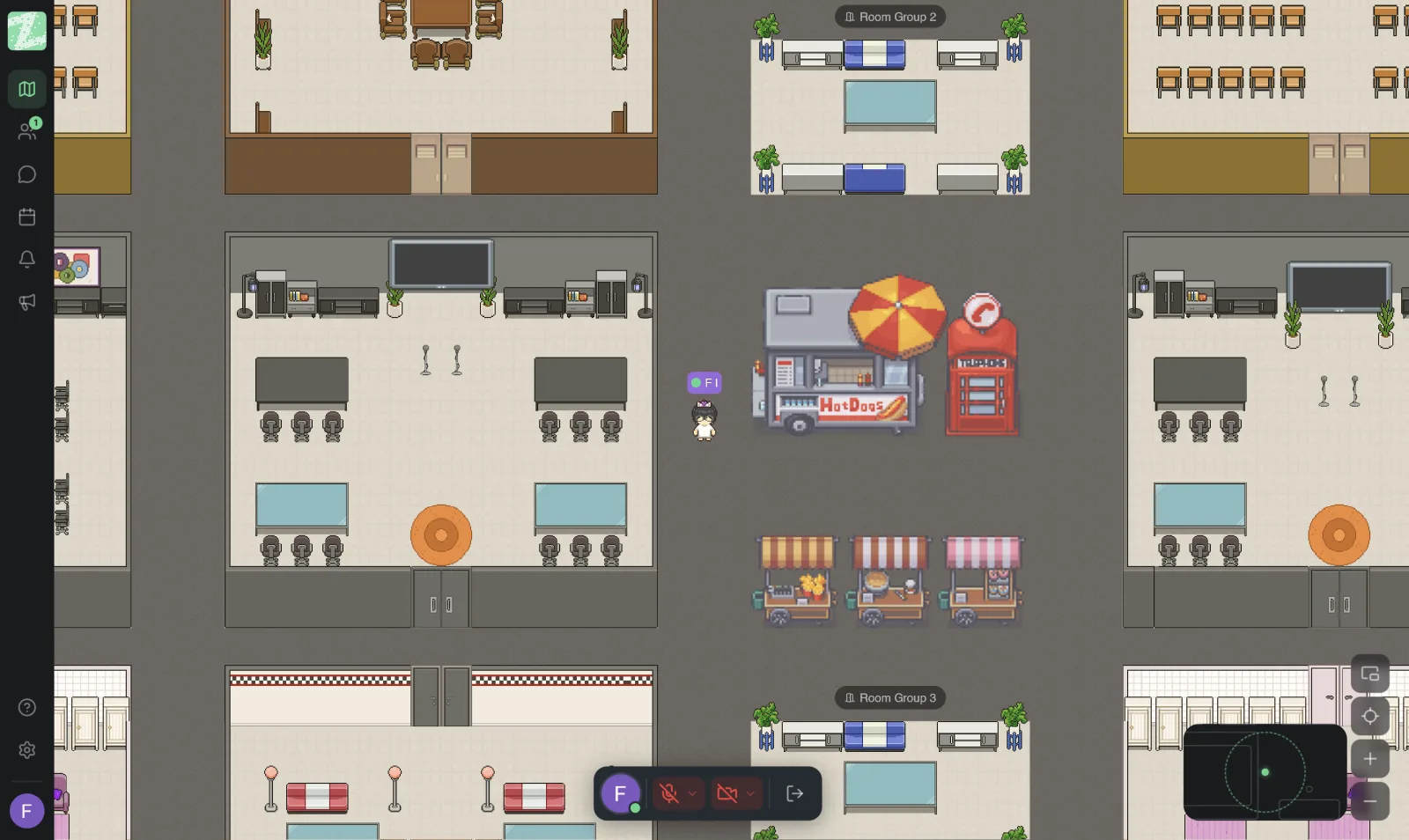
Zyra World is an online office with shared spaces, proximity audio, chat, avatars and screen sharing. Those features fit informal collaboration. However, they do not remove the need for focus time or written decisions.
Is a virtual office worth it?
A virtual office earns its place when being together helps you finish a specific task. For example: working through a question while sharing a screen, being available for help, or giving a new hire a clear place to ask questions.
Compare the options against the same job. The best choice is not the one with the most features; it is the one that handles that job with the least wasted attention.
| Approach | Best for | Main benefit | Main limitation |
|---|---|---|---|
| Written chat | Updates and questions that can wait | Leaves a message people can read later | Back-and-forth still takes attention |
| Scheduled calls | Planned discussions with a clear purpose | Reserves time to talk together | Must be arranged and attended |
| Virtual office | Informal collaboration in overlapping hours | A shared place for live interaction | Adds a workspace and needs interruption rules |
These approaches can coexist. Keep chat for updates, use scheduled calls when preparation matters, and save the virtual office for work that benefits from being together.
Before you adopt anything, name the problem in plain words. "People struggle to find someone free to help" is testable. In contrast, "we need better culture" is too broad to guide a software decision.
When a virtual office pays off
Informal collaboration
Best for remote teammates who often need short, live exchanges. A shared space gives those exchanges a place, without turning every question into a calendar event.
Start with work that already needs conversation, such as discussing a draft or a screen-sharing question. The trade-off is interruption. If entering the space means being available for every question, you have swapped scheduling friction for attention friction. So agree how people signal availability and how they can decline a chat without explaining why.
Onboarding and help sessions
Best for teams that can name someone responsible for answering questions. A shared space gives a new teammate a place to find that person during an agreed help window.
Presence alone is not an onboarding plan, though. Assign a host, decide which questions belong in the session and keep instructions written down elsewhere. If the same question keeps coming back, improve the written guide instead of making live help the permanent fix.
When it is not worth it
Asynchronous work is better served by written updates and documented decisions. When teammates rarely overlap or can finish work on their own, a live shared space has a narrow role.
Don't make attendance the price of staying informed. Someone working later should still see what changed, who owns the next step and where the document lives. A virtual office can still host an occasional session, but that does not justify an all-day requirement.
Why the value varies from team to team
The useful question is not whether virtual offices work in general. Rather, it is whether the way you plan to use one fits your team.
- Overlapping hours. Live talk needs people available together. Start with existing overlap instead of extending anyone's day.
- Type of work. Solving a problem on screen has a clearer live purpose than an update someone can read alone.
- Interruption rules. Define when questions are welcome and when people should leave a message instead.
- Documentation habits. Record decisions that affect people outside the conversation.
- Tool roles. Decide where tasks, updates and decisions belong, so nobody searches several channels.
- Willingness. Ask whether teammates find the space useful. A manager's enthusiasm does not prove value for everyone else.
How to test whether a virtual office is worth it
Run a bounded trial before changing the team's routine. A suggested starting point is 10 working days for one recurring workflow, not an instant team-wide rollout. This is a trial design, not a promise of results.
- Choose the workflow. Pick something the team already does, such as a help session or a joint review. Write down what makes it hard today, and set a concrete success test, for example "people get a useful answer without booking a call".
- Set the boundaries. Spend about 15 minutes explaining where the activity happens, when people can approach each other and how to leave. Make it clear that being away from the virtual office does not mean slacking off.
- Run the session. Use the space only for the chosen activity and leave other processes unchanged. Agree how a proximity conversation starts and ends, and what should not be shared on screen.
- Record the outcome. Hold 2 check-ins, one mid-trial and one at the end. Ask what got easier, what interrupted work and whether people would use the space for the same task again.
At the end, make a specific decision: keep the workflow, change its rules or stop using the space for that activity. Keeping a tool should need a better reason than "we already set it up".
What to measure besides attendance
Measure the work you meant to improve. Use the same questions before and after the trial:
- Did you know where to ask for help?
- Did the conversation resolve the issue, or did it need another one?
- Could you protect focus time when you needed it?
- Could someone who was absent understand the decision?
- Did you have to repeat information in another tool?
Don't treat attendance, avatar movement or time connected as proof of productive work. Likewise, don't claim a productivity gain from positive comments alone; separate what people liked from what actually changed.
Sources and further reading
- Zyra World plans and Free plan limits (checked November 2026)
- Microsoft Work Trend Index for wider research on hybrid and remote work (checked November 2026)
Frequently asked questions
Is a virtual office worth it for a small remote team?
Yes, when shared live interaction solves a recurring coordination problem. Start with one existing workflow, such as a help session, rather than all-day attendance.
Is a virtual office worth it if we already use chat?
Only if the team needs a shared place for live collaboration. Keep chat for written updates, and make clear where final decisions live.
Can a virtual office replace meetings?
It can host talks that would otherwise need a separate call. However, important discussions that need preparation, an agenda or a decision-maker should still be scheduled.
Do employees need to stay in a virtual office all day?
No. A useful setup does not require all-day attendance. Agree on the activity and the availability window, and protect time for focused work.
How long should we test a virtual office?
A suggested trial is 10 working days on one recurring workflow. Treat that as a planning starting point, not a benchmark.
One last thing
Agree on a stopping rule before you start. If the space does not help the chosen activity, or people must duplicate everything elsewhere, change the workflow or end the trial.
Your decision should be easy to explain: you keep the virtual office because it helps people do a named piece of work together, not because the room looks busy.
Keep Reading
- Online Office vs Renting an Office: Calculate the Cost With Your Own Team's Numbers
- Best Virtual Office Software for Small Teams (2026)
- Virtual Office Etiquette: When You Should and Shouldn't Walk Up to Talk
- Onboarding New Employees Online: A 30-Day Checklist So New Hires Don't Drift Away
Try Zyra With Your Team
Try Zyra free for teams of up to 25 members. It runs in the browser with nothing to install, so you can run the 10-day test above at no cost.
Start using Zyra free for teams of up to 25 members
Try Zyra with your team
Free for up to 25 members. It runs in your browser, so there is nothing to install, and there are Android and iOS apps too.